Environment Parity Between Staging and Production on AWS
How to build a staging environment that actually catches production bugs.
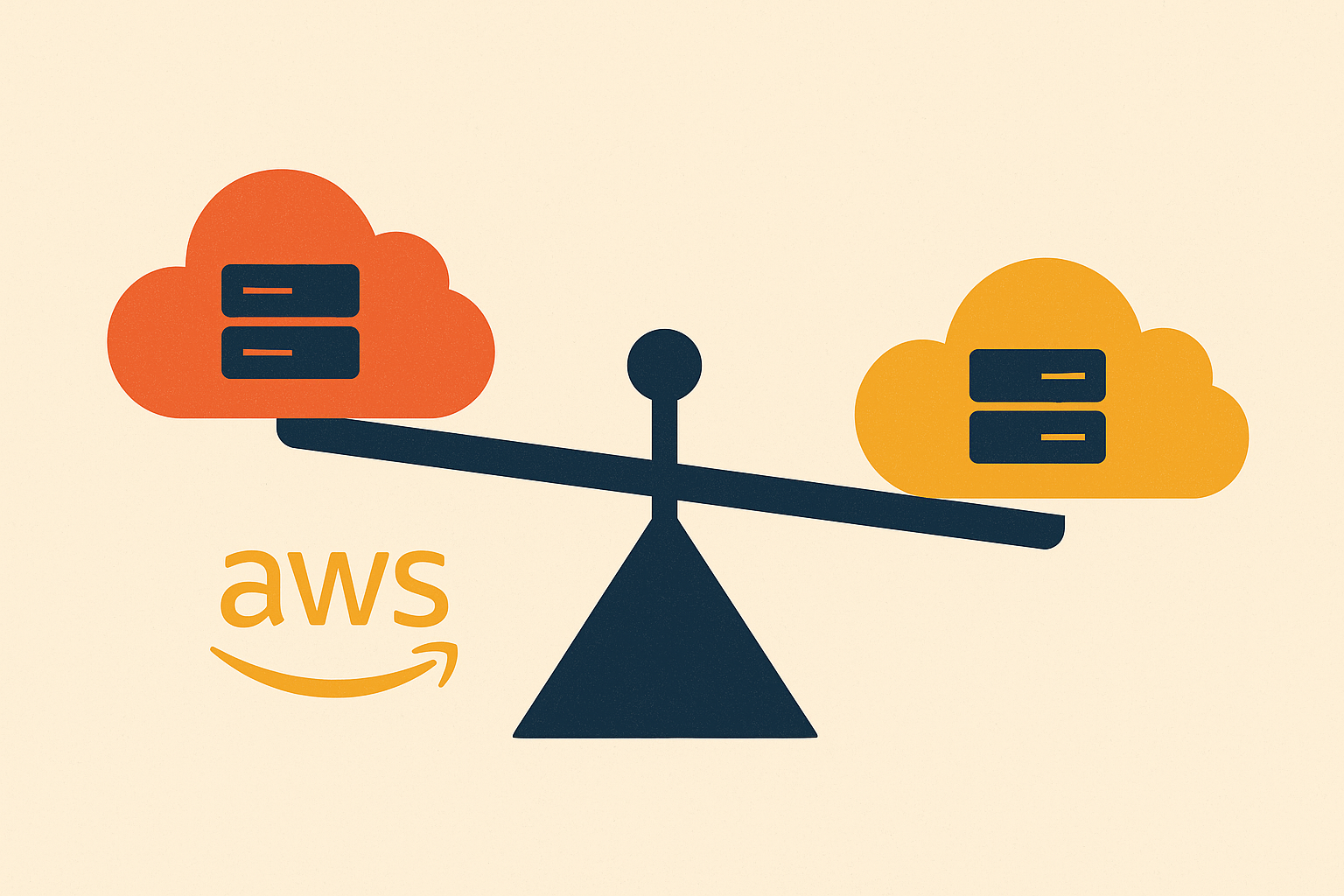
Most teams have a staging environment. Far fewer have one that actually catches production failures before they happen. The gap between those two things comes down to environments that diverge in exactly the places that matter, and this piece walks through how to close that gap on AWS without doubling your cloud bill.
What environment parity actually means — and what it doesn't
Here's the distinction that unlocks affordable staging: architecture parity and scale parity are not the same thing, and only one of them is required.
Architecture parity means staging uses the same services, the same connection graph, and the same data flow as production. If production runs an Application Load Balancer feeding ECS Fargate with auto-scaling, backed by RDS Multi-AZ and ElastiCache, staging needs all four of those pieces too. Just smaller. Scale parity, meanwhile, means matching instance sizes and throughput capacity, and that part you can skip. Nobody needs a staging database sized like production.
Getting this right comes down to four things. First, configuration management: staging should use the same environment variables and secrets structure as production, with only the endpoint values pointing somewhere else. Second, immutable artifacts: build the thing once, deploy that exact build to staging, then promote the same build to production. Never rebuild in between; a rebuild means you're no longer testing what you shipped. Third, drift detection: run an automated diff, something like terraform plan, before every deployment so manual changes that bypassed your infrastructure code get caught instead of buried. Fourth, data realism: enough volume and variety in staging to exercise real code paths, without exposing real user data. Production snapshots with masking work, so does well-built synthetic data.
Same configuration doesn't mean identical values. It means the same secret structure and the same rotation policy, with staging secrets pointing to staging endpoints. It means the same IAM role structure too, even if the permissions in staging are scoped down tighter.
Give this whole idea a name, because it's worth naming: parity theater. A staging setup that looks right on an architecture diagram but quietly cuts corners on the services carrying the most risk, your database engine, your caching layer, your message queue. The environment gives you confidence without earning it.
Why AWS account separation is the structural foundation of real parity
The tempting shortcut is running dev, staging, and production in a single AWS account, separated by naming conventions or VPC boundaries. Don't do this.
It fails for three concrete reasons. Shared IAM policies mean a mistake in one environment can blow back on another. A misconfigured security group or an accidental delete in the "staging" VPC can reach into production if the account boundary isn't real. And billing turns into guesswork; you lose the ability to say with any confidence what staging is actually costing you each month.
The fix is one AWS account per environment, all grouped under AWS Organizations, enforcing structural isolation rather than mere logical separation. Service Control Policies applied at the organizational-unit level enforce guardrails that no IAM policy inside the account can override: requiring MFA on every API call in production, blocking anyone from deleting CloudTrail logs, whatever your environment needs. Cross-account deployment roles then let your CI/CD pipeline push to both staging and production accounts from one pipeline account, without credentials ever getting shared between them.
This used to sound like something only a large company would bother with. It isn't anymore. Multi-account design under AWS Organizations is now a baseline practice for any team that takes deployment safety seriously, regardless of size.
Account isolation sets the boundary. What goes inside each account, and how you keep the two sides honest, is the next problem.
Building the staging environment using the same IaC modules as production
Staging and production should come from the same Terraform modules or CloudFormation templates, just parameterized differently, rather than separate codebases that quietly drift apart over six months because two different engineers touched them at two different times.
In practice, that looks like shared modules defining your networking, compute, database, and cache resources, with environment-specific variable files supplying the things that actually change: instance sizes, replica counts, endpoint values. The same rds module block might deploy a db.t3.medium in staging and a db.r6g.xlarge in production. Same service, same configuration shape, different size. That's the whole point.
Keep separate Terraform state files per environment, so a change in staging can't touch production state and each environment can be reasoned about on its own. Teams already on CloudFormation get the same result through parameters and mappings: one template, environment-keyed values.
Make drift detection a required gate, not a nice-to-have. Run terraform plan against the staging state before every deployment. If the plan shows a change that doesn't match anything in a reviewed pull request, that's a sign somebody made a manual change outside the process, and it should block the deploy, not just log a warning.
The payoff shows up during incidents. When a production issue turns out to be a missing security group rule or a bad subnet route, fixing it in the shared module fixes staging and production at the same time. You're not patching the same bug twice.
Mapping the AWS service layer so nothing is missing from staging
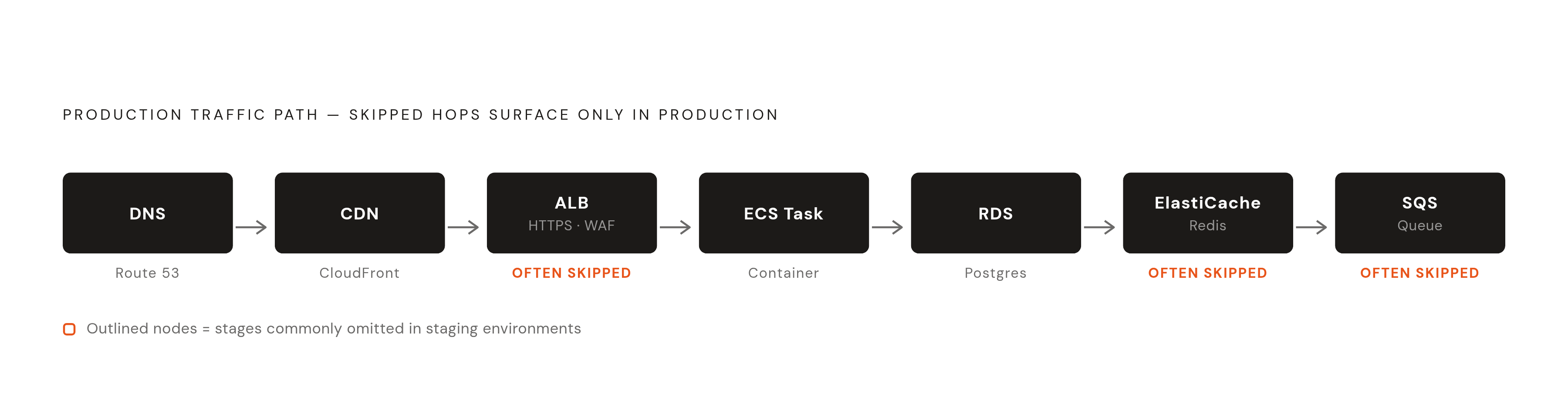
Walk through where staging environments usually fall short, service by service.
Networking is a common one: production runs an ALB with HTTPS termination and a WAF rule set in front of it, and staging skips straight to hitting the container directly. Any routing bug, any header-stripping issue, stays invisible until it hits production. Database is another: production running RDS Multi-AZ while staging runs a single-AZ instance of the same engine is a fine scale trade-off. Running a different engine, or skipping RDS for something local, undermines the whole exercise. Caching follows the same pattern; production on ElastiCache Redis while staging uses an in-process cache means cache invalidation bugs and race conditions never get a chance to show up before launch. Queues matter too: no SQS in staging means no way to test dead-letter queue behavior or any async failure mode at all. And secrets: production rotating credentials through Secrets Manager while staging hardcodes environment variables guarantees that rotation bugs and permission errors show up as production surprises.
Some differences are fine. Staging doesn't need multi-AZ or multi-region redundancy; that kind of high-availability testing belongs in chaos engineering exercises, not in every single staging deploy. Smaller instance sizes are fine, though staying in the same family and generation avoids weird behavioral differences that have nothing to do with your code. Read replicas can be zero in staging, as long as your application gets tested against a replica endpoint somewhere in your test cycle.
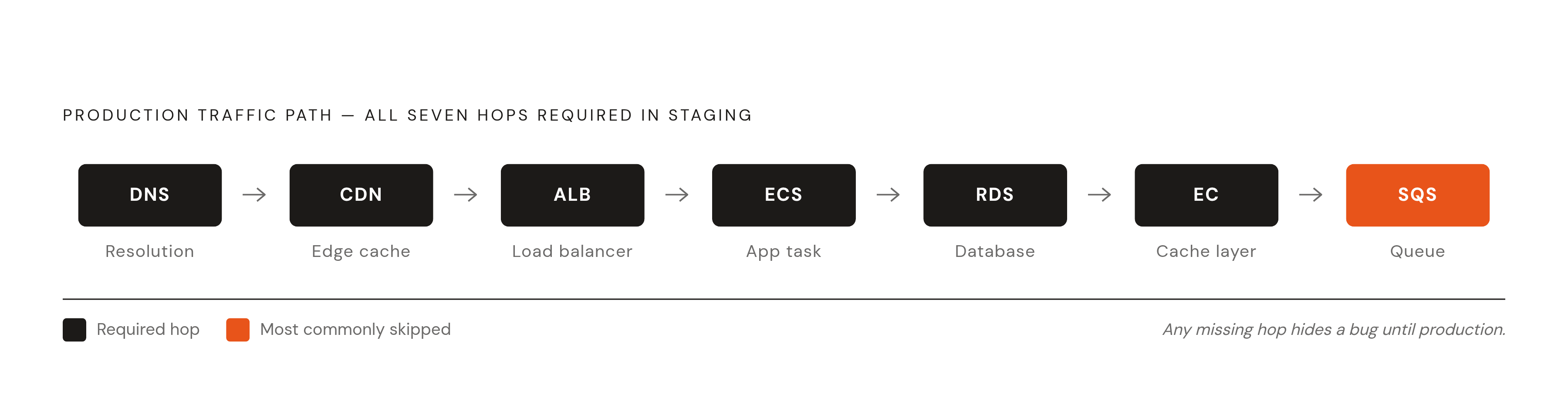
A useful gut check: trace the production traffic path start to finish, DNS to CDN to ALB to ECS task to RDS to ElastiCache to SQS, and confirm every hop exists in staging, even at the smallest scale you can get away with.
CI/CD pipeline design that enforces parity on every merge
The pipeline is where parity either becomes real or stays a nice idea on a wiki page. If staging and production run the same artifact through the same pipeline stages, parity stops being optional and becomes structural.
The shape looks like this: a merged pull request triggers CI to build and sign one artifact, a container image or a binary. That exact artifact deploys to staging automatically, no rebuild, no repackaging step that quietly introduces a difference. An automated test suite runs against it: unit tests, integration tests, smoke tests, image scanning, policy checks. For anything significant, a human approval gate in AWS CodePipeline requires someone with authority to sign off before the same artifact promotes to production. Production deployment itself should use blue-green or canary rollout, with automatic rollback if a health check or an SLO breaks.
Cross-account deployment roles carry this across the account boundary: the pipeline account assumes a role in staging to deploy, then assumes a separate role in production. Credentials never get shared, and each account's Service Control Policies still apply on top. Tag every image with its git commit SHA, and treat that SHA as fixed. The SHA that passed staging is the SHA that ships to production; there's no "rebuild for prod" exception, ever.
Watch out for partial automation. A pipeline that automates staging deploys but leaves production as a manual shell script leaves one automated environment sitting next to one that can drift silently whenever someone's in a hurry. By current standards, infrastructure as code, every change going through a pull request, and automated rollback aren't advanced practices anymore. They're the floor.
Data strategy for staging: realistic enough to matter, safe enough to use
This is where most teams quietly fail, even after getting the services right. A staging environment with the correct architecture but toy data misses the bugs that only show up with real data shapes: unexpected nulls, oversized payloads, odd character encodings, referential integrity edge cases that never occur in a hundred hand-crafted test rows.
Two approaches work, depending on what you need. Production snapshots with masking suit teams trying to reproduce a specific production bug or test against a real data distribution. This requires an automated masking pipeline that scrubs PII before the snapshot ever lands in staging, and access controls on the staging database that are at least as tight as production's. Worth saying plainly: the masking pipeline itself needs testing, because an incomplete mask counts as a data incident.
Synthetic data generation suits teams with a strong enough domain model to generate statistically realistic data without touching production data at all. No PII risk, and you can shape the data to hit specific edge cases on purpose. The cost is upkeep: synthetic data that doesn't track the real data's shape misses real bugs, and it needs updating as the production data model changes.
The guidance is consistent across teams that have done this well: staging data needs enough volume and variety to exercise real code paths. A staging database with a dozen rows in it tests almost nothing. And access control needs to carry over too, the same Secrets Manager path structure, the same IAM auth pattern if production uses one, so a credential bug turns up in staging instead of live.
Where parity gets harder: ML workloads and inference pipelines
ML staging is a harder problem than application staging, because the environment now has to match model versions, feature pipelines, inference endpoints, and GPU availability, and each of those can drift on its own schedule.
Model version mismatch is the most common failure: staging is still testing against last week's checkpoint while production is already serving a newer artifact. That's a subtler failure than a conventional infrastructure bug, but it does just as much damage. Feature pipeline skew is another; if the preprocessing code that generates features in staging is a different version than what the serving pipeline uses in production, predictions come out subtly wrong, and subtle is worse than obvious because nobody notices right away. GPU instance type differences matter more than people expect too. Staging on a CPU, or on an older GPU generation, can genuinely change a model's numerical behavior, especially for anything quantized or running mixed precision. And inference endpoint configuration, batching size, timeout settings, needs to match, or your latency and throughput numbers from staging tell you nothing about production.
The fixes are practical rather than exotic. Version-pin model artifacts in the same artifact store you already use for application images, and promote the same model version through staging into production rather than retraining or re-exporting along the way. Run feature preprocessing from one shared library used by both staging and production, not two scripts that started identical and diverged. Where GPU cost makes full parity impractical in staging, at minimum match the GPU family; a spot instance is fine as long as it's the same instance type family production runs on.
One more thing worth flagging: an ML pipeline moving data across regions without private networking can rack up egress charges in a single training run large enough to erase weeks of savings elsewhere. Staging is exactly the place to catch that, before the workload scales up and the mistake gets expensive.
Maintaining parity over time as production evolves
Parity decays. That's just what happens when production keeps moving and staging doesn't automatically move with it, not a failure of any particular team. The real question is how fast it decays and whether anyone catches it before it matters.
The usual culprits: a hotfix pushed straight to production that never gets back-ported into the Terraform module. A new AWS service added to production that staging never got, because "we'll add it later" and later never comes. An environment variable changed through the AWS console instead of through the secrets store, so it exists in exactly one place.
A few habits slow this down. Require the terraform plan output in every deployment pull request, so drift gets caught while it's small instead of after it compounds. Run a periodic automated diff between staging and production resource configurations, flagging anything that exists in one account and not the other. Make a passing staging deploy a hard prerequisite for a production deploy, enforced in the pipeline itself: if staging is broken, production is frozen, no exceptions. And write a runbook for any new AWS service going into production that includes adding it to staging first as a required step, not an afterthought.
The habit that matters most, though, is a reflex rather than a tool. When a production incident happens, the first move should be trying to reproduce it in staging. If staging can't reproduce it, that's a parity bug rather than bad luck, and fixing the parity gap comes before anything else.
Older PaaS platforms made a lot of this easy by default: environment configuration was handled for you, and staging was a first-class citizen built into the platform itself. AWS leaves that discipline to be built deliberately, by the team, on purpose. Nothing enforces it unless you're the one who builds the enforcement in.