Rollback Automation for Failed Kubernetes Deployments
Kubernetes-native tools for detecting and automating deployment rollbacks.
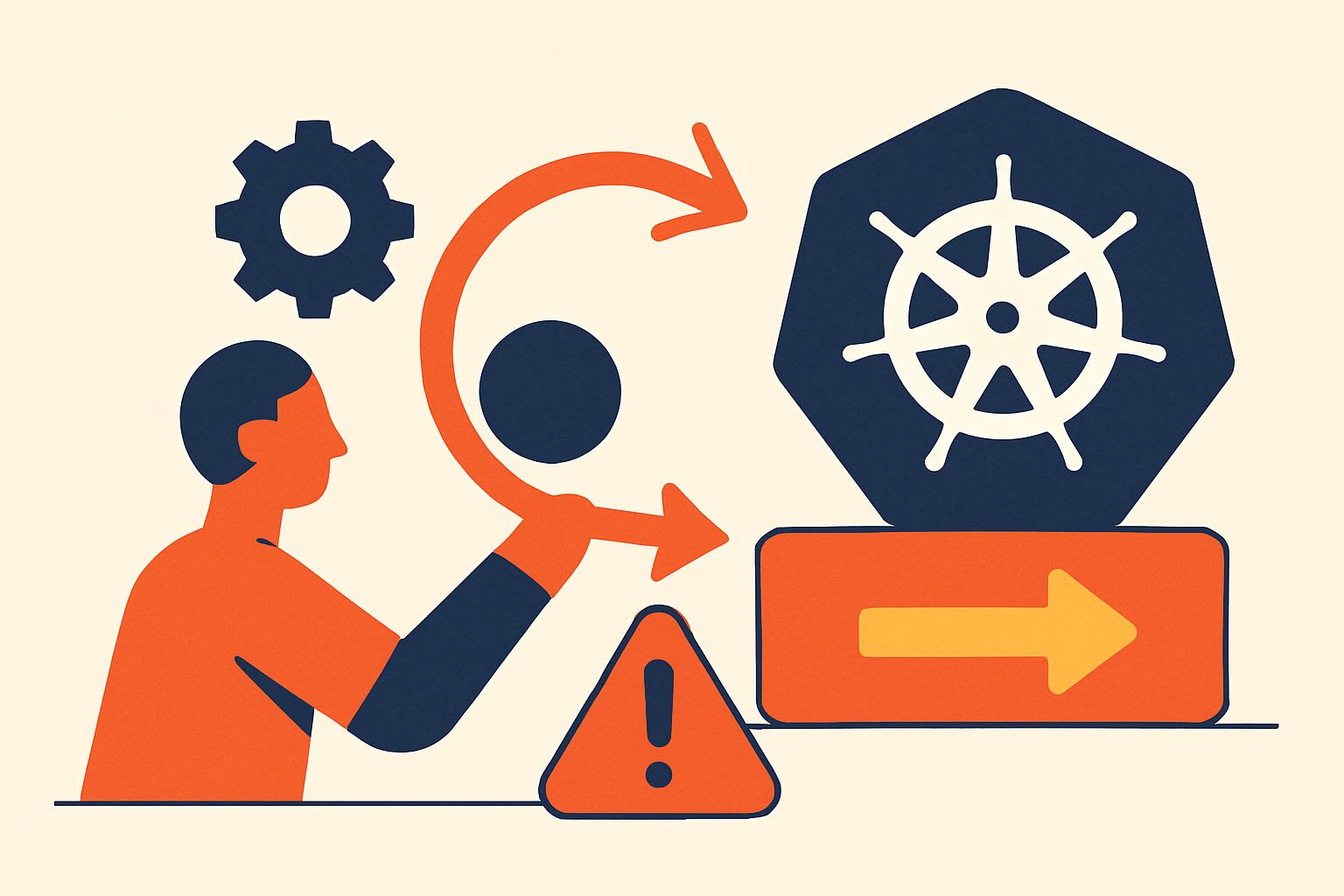
Kubernetes does not roll back failed deployments. That omission is intentional, and understanding why it exists is the prerequisite for building anything reliable on top of it. The platform manages desired state; it does not define what "bad" means for your application. That judgment belongs to your team, and the tooling you assemble around the cluster is what operationalizes it. This article maps the full stack of that tooling, from the primitives Kubernetes does give you up through progressive delivery systems that can make the rollback decision without waking anyone up.
To frame the stakes: three scenarios make this gap viscerally concrete. A new version fails health checks immediately after rollout. A new version passes health checks but quietly consumes two or three times the expected memory. A new version carries a bug that only surfaces under real production traffic, after the pipeline has already moved on. In each case, manual intervention is the default, mean-time-to-recovery climbs, and the incident risk concentrates on whoever happens to be on call. The rest of this article is about closing that gap systematically.
How Kubernetes tracks deployment versions internally
Every time a Deployment spec changes, Kubernetes creates a new ReplicaSet for that version while retaining the previous ones. This is not a version control system in the traditional sense, but it functions as one for the pod template specifically. The important mental model shift: a rollback is not an undo. It is a forward operation. Reverting from revision 3 to revision 2 creates revision 4. The history is never rewritten, which matters both for targeted rollbacks and for post-incident reviews where you need to reconstruct exactly what changed and when.
The revisionHistoryLimit field on a Deployment controls how many old ReplicaSets are retained. Set it too low, and Kubernetes silently discards older revisions, removing your options when you need to roll back past a recent known-bad version. Teams that set a generous limit and annotate each release with kubernetes.io/change-cause get a human-readable history they can act on quickly under pressure. Teams that skip the annotations get opaque revision numbers and slower incident response.
There is a boundary this model does not cross, and it matters enormously. The revision chain captures only what lives in the pod template. Changes made outside it exist in a separate, untracked reality: a ConfigMap edited manually, a Secret that was rotated, a database schema that was migrated forward. Those changes are not part of any revision. When you roll back the pod template, you are not rolling back the environment it runs in.
What kubectl rollout undo actually does, and where it stops
kubectl rollout undo works on Deployments, DaemonSets, and StatefulSets. By default it reverts to the immediately previous revision; the --to-revision=N flag lets you target a specific known-good point when the last revision was itself broken. Its main virtue is speed. A single command can shift traffic back within seconds when the target is clear.
The ceiling is equally clear. kubectl rollout undo reverts only what lives in the pod template. It is not a time machine for the surrounding environment. ConfigMaps edited out-of-band are left untouched. Rotated Secrets remain rotated. Database schemas that were migrated forward stay migrated, which means the old application version may now be running against a data store it is fundamentally incompatible with. Treat kubectl rollout undo as a fast-mitigation tool for the deployment artifact itself, not as full environment restoration.
There is also a GitOps conflict worth naming directly. Running kubectl rollout undo imperatively in a cluster managed by Argo CD or Flux creates drift: the cluster state no longer matches Git, and the next reconciliation cycle may cheerfully reapply the bad version. This is not a hypothetical edge case; it is a common incident antipattern. The resolution is covered in the GitOps section, but the principle is simple: in a GitOps workflow, the only durable rollback is a Git revert.
Health probes as the prerequisite signal for any automated rollback
Automated rollback requires a signal. Health probes are the most direct source of that signal from inside the pod, and getting them wrong makes everything downstream unreliable.
The three probe types serve distinct roles. The readiness probe answers: is this pod ready to serve traffic? Failures remove the pod from service endpoints, and consistently failing readiness probes during a rolling update are the primary trigger for deployment rollback automation. The liveness probe answers: should this pod be restarted? It is useful for catching deadlocks but does not by itself signal a bad deployment. The startup probe answers: has the application finished initializing? It prevents readiness and liveness checks from firing prematurely on slow-starting services, which matters because premature failures generate false-positive rollback signals that can poison an otherwise healthy rollout.
The critical pattern is this: a single readiness failure is noise. New pods consistently failing readiness checks during a rolling update is the meaningful signal. The Deployment spec parameters that shape how that signal is interpreted deserve careful attention. maxSurge: 1 combined with maxUnavailable: 0 means only one new pod is introduced at a time, and no old pod is removed until the new one is ready, which limits the blast radius of a bad pod significantly. minReadySeconds: 30 requires a pod to pass readiness checks continuously for thirty seconds before it is counted as healthy, preventing a flapping pod from being treated as stable. progressDeadlineSeconds defines the window after which Kubernetes marks the Deployment failed if no progress is made. That failed condition is the hook external automation watches.
Without correctly configured probes, rollback automation has no trustworthy input. Teams that skip probe tuning are, in practice, automating on noise.
Four architectural approaches to automating the rollback decision
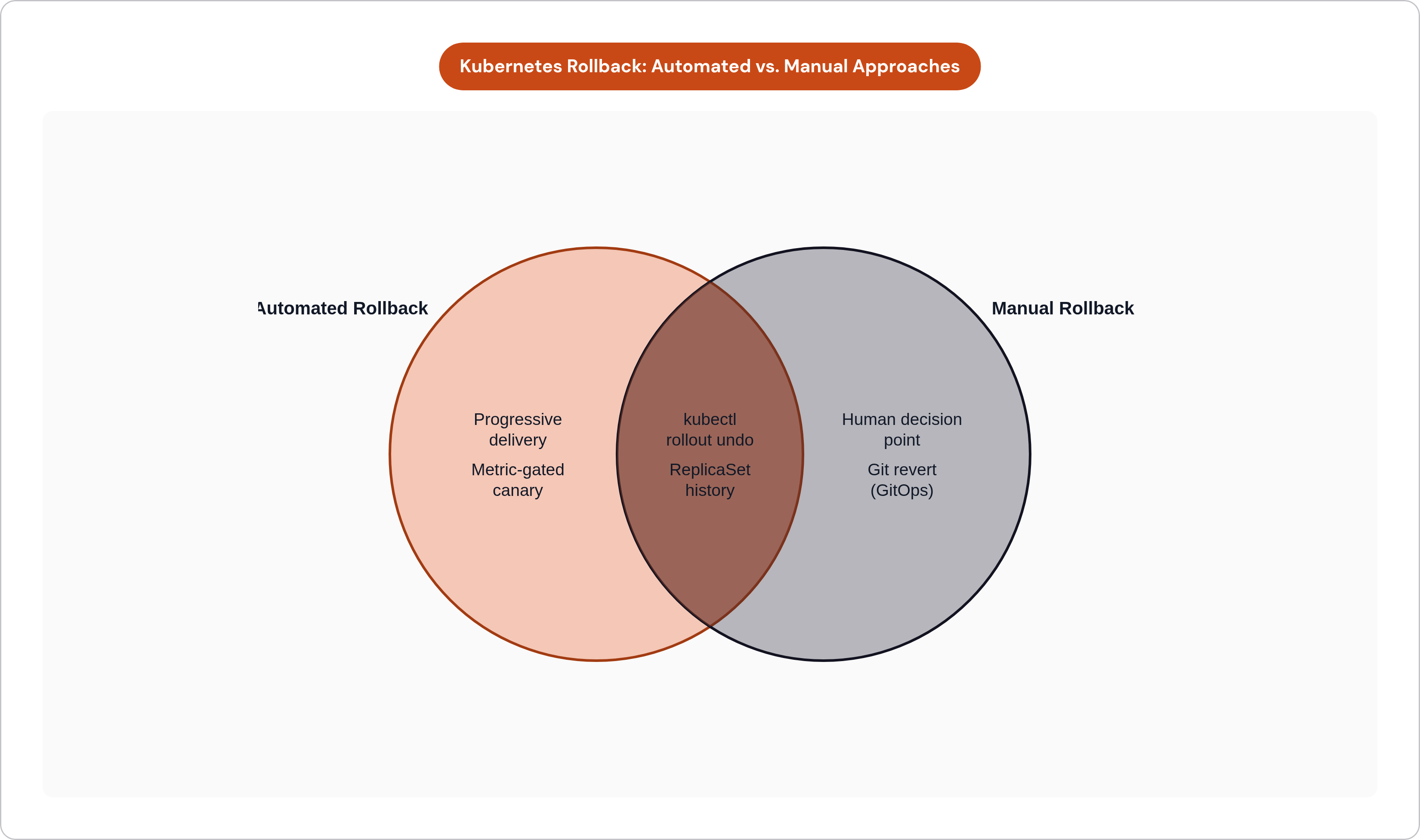
These patterns are not mutually exclusive. Most mature setups layer more than one, with each pattern covering a different failure window.
Pipeline-embedded rollback is the simplest entry point. A monitoring or health-check script runs as a post-deploy stage; if the deployment does not reach a healthy state within a configured timeout, the pipeline executes kubectl rollout undo automatically. The appeal is that it requires minimal new infrastructure. The limitation is equally clear: it is blind to failures that emerge minutes or hours after the pipeline has already exited and declared success.
Kubernetes-native revision history with manual trigger relies on the built-in ReplicaSet history and kubectl rollout undo, but leaves the decision to a human. This is appropriate as a fallback, or for environments where automated rollback carries more operational risk than human review. It is not a scalable primary strategy, but it belongs in every team's toolkit.
A custom controller watching deployment health continuously is a more sophisticated approach. A controller loop monitors deployment conditions and triggers rollback based on configurable criteria, including probe failures, resource consumption thresholds, or custom metrics. More flexible than pipeline scripts, but it requires building and maintaining the controller, which is no trivial ongoing cost.
Incident-platform automation addresses something the other patterns do not: human latency. A monitoring tool fires an alert; the incident platform matches that alert to a configured workflow; the workflow executes a pre-built rollback action without waiting for an engineer to wake up, read context, and make a decision. Teams operating in this space are caught between two legitimate pressures simultaneously: maintaining stability through safe deployments and responding to critical alerts immediately. Trying to satisfy both manually is both a reliability risk and a burnout risk. Platforms that wire alert conditions directly to rollback execution remove that tradeoff from the on-call equation.
GitOps rollback with Argo CD and Flux: what each approach actually requires
GitOps inverts the traditional CI/CD model. An agent inside the cluster pulls from Git rather than a pipeline pushing in. Credentials never leave the cluster. Drift is detected and corrected on the next reconciliation loop. In a GitOps model, "rollback" means "revert a Git commit," and the controller enforces the resulting desired state against the cluster.
Argo CD ships with a built-in web UI, RBAC, and multi-cluster support. Under incident pressure, the rollback UX is meaningful: select a target revision in the UI or run argocd app rollback <app-name>. Low cognitive load when you are operating under stress is genuinely valuable. Argo CD syncs on push via webhooks from major Git providers, keeping latency between a Git event and a cluster change minimal. It does not trigger automatic rollbacks natively; that layer is handled by Argo Rollouts, covered in the next section. Argo CD has substantially broader adoption in the community than Flux, which translates to more troubleshooting resources and ecosystem integrations. Teams managing multiple clusters, or those that need strong multi-tenancy access controls and an audit trail, tend to find Argo CD the more complete out-of-the-box solution.
Flux is lighter and more composable. There is no built-in dashboard; teams assemble their own observability and access control stack. Rollback requires reverting the Git commit, pushing, and waiting for reconciliation, which is more steps under incident pressure than Argo CD's single command. Flux relies on periodic polling by default, and the polling interval can feel slow relative to webhook-driven sync for fast-moving deployment workflows. It is a better fit for teams that want to compose their own toolchain and are already comfortable operating without a UI.
The imperative-versus-declarative conflict bears repeating here because it is the most common way GitOps-managed rollbacks go wrong. Running kubectl rollout undo directly in a GitOps cluster creates state that the controller will eventually overwrite. Either pause reconciliation or revert in Git. Never both simultaneously, and never the imperative path as a permanent fix.
Decision shorthand: Argo CD for most teams starting fresh or managing multiple clusters; Flux for teams with strong GitOps fundamentals who prefer composability over built-in UI.
Progressive delivery tools that automate the rollback decision itself
The distinction from the earlier patterns is important. Argo Rollouts and Flagger do not respond to a failed deployment after it has completed. They prevent a bad deployment from fully rolling out in the first place, by gating promotion on live metrics gathered during a controlled traffic shift.
Argo Rollouts is a Kubernetes controller and set of CRDs that adds blue-green, canary, and progressive delivery capabilities to standard Deployments. It integrates with ingress controllers and service meshes to shift a configurable slice of traffic to the new version, then queries metric providers including Prometheus, Datadog, and CloudWatch during the canary phase. If a threshold is breached, it rolls all traffic back to the stable version automatically. Consider what that means operationally: if error rate climbs above a configured ceiling during the analysis window, the rollback fires without human approval. The "3 AM incident" scenario for regressions that would have been caught by these metrics is effectively removed. Argo Rollouts pairs naturally with Argo CD; if you are already using Argo CD, slotting in Argo Rollouts does not require a separate GitOps philosophy change.
Flagger runs a continuous control loop, promoting or rolling back based on metrics automatically, with no manual promotion step required. When analysis fails, Flagger routes all traffic back to the primary, scales down the canary, records the event, and sends notifications. Failed canaries can be retried simply by updating the target deployment again. Flagger works with Flux and with any service mesh or ingress controller, making it the more natural fit for teams not on Argo CD. It supports a comparable breadth of metric providers to Argo Rollouts, plus custom webhooks for arbitrary external signals.
The insight that separates mature metric wiring from naive implementations is this: HTTP error rate tells you the API is broken. It does not tell you that checkout completion rate dropped because of a subtle UI regression that returns HTTP 200 with broken behavior. Wire business metrics alongside technical ones: order completion rates, payment success rates, conversion signals. A deployment can pass every infrastructure check and still be a business failure. Analysis templates in both Argo Rollouts and Flagger support this; most teams never configure it, which means they are catching a subset of the failures that matter.
Rolling updates remain the default for most teams because they are simple and achieve zero-downtime in the common case. Progressive delivery is the upgrade path when the cost of a bad rollout justifies the additional tooling complexity, and for most teams running revenue-critical services, that threshold is lower than they assume.
Where automated rollback breaks down: StatefulSets, schema migrations, and out-of-band state
StatefulSets are a categorically different problem. Persistent volumes retain state across rollbacks, and the ordering guarantees of StatefulSet updates mean a pod-template revert does not restore data or topology. Rolling back a stateful application requires careful coordination that no general-purpose rollback tool handles for you.
Database schema migrations are the dominant failure mode in this category, and they deserve direct attention. A rollback restores the old application binary. It does not reverse migrations that already ran against the database. The old application version may now be running against a schema it never wrote: foreign keys it does not understand, columns that were dropped, fields that were renamed. The mitigation is backwards-compatible migration patterns, most commonly the expand-contract pattern, where schema changes are made in additive phases that allow the old version to run against the new schema during the rollback window. This requires discipline at the application layer, not just at the infrastructure layer. Teams that skip it are making a silent assumption that they will never need to roll back a database-touching deployment, which is not a safe assumption in production.
The broader category of out-of-band state compounds this problem. kubectl rollout undo does not touch ConfigMaps that were updated separately from the Deployment spec. It also leaves Secrets untouched that were rotated between the known-good and the bad revision. It does not revert feature flags, external configuration stores, or third-party API versions that changed during the deployment window. Each of these represents a dependency that the pod template revision chain is simply unaware of.
The practical takeaway is that rollback automation is most reliable when deployments are designed for reversibility from the start. That means backwards-compatible schema changes, immutable ConfigMaps that are versioned alongside the application, and a clear inventory of what state lives outside the revision chain. Automation can move fast; it cannot compensate for an architecture that makes rollback semantically incoherent. The tooling this article describes closes the gap Kubernetes leaves open, but only within the boundaries that the application design permits.