Build Cache Optimization for Docker in CI Pipelines
Reorder Dockerfile layers and cache package managers to cut CI build times by 70-90 percent.
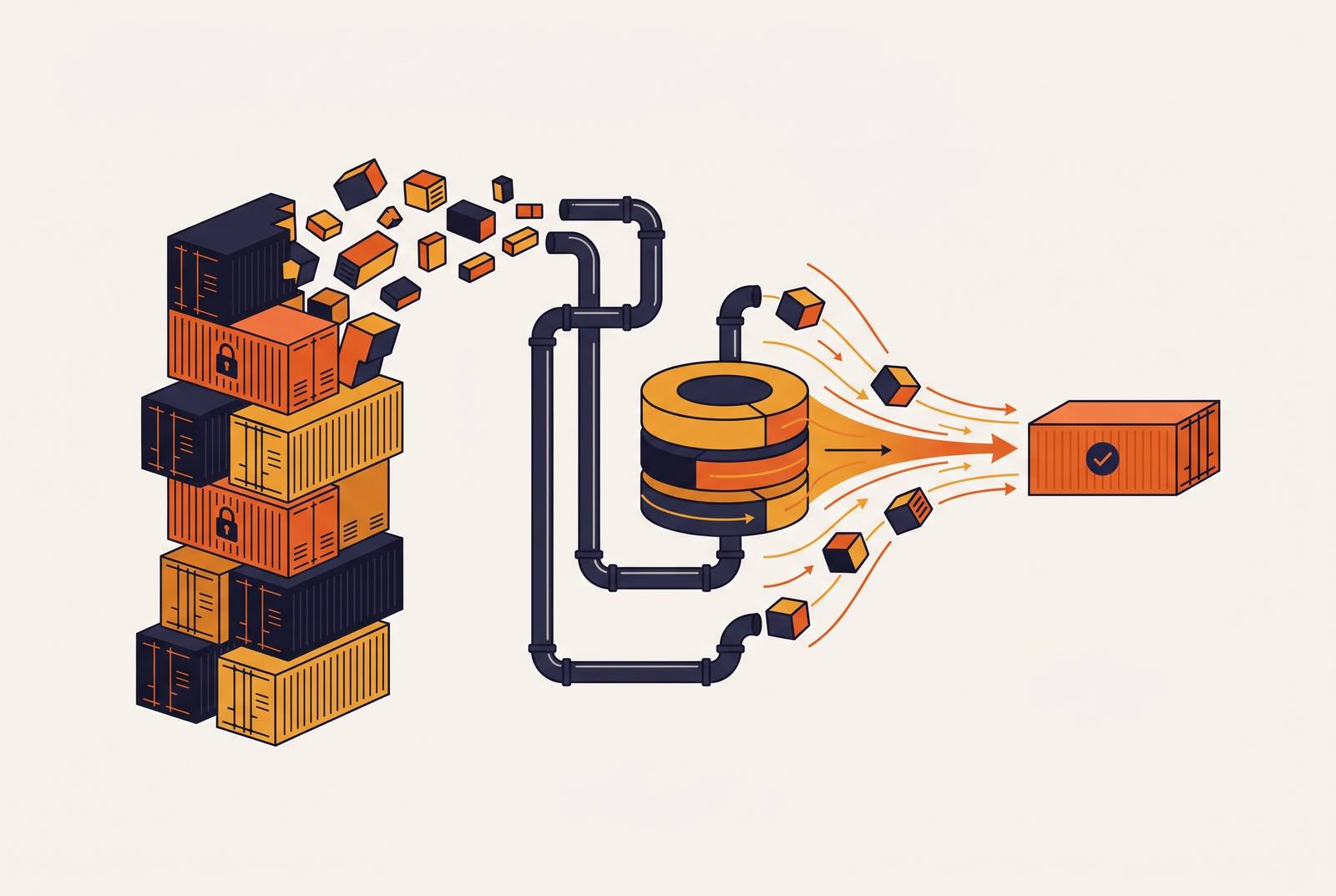
CI runners are ephemeral. Every job spins up on a fresh machine with no memory of the last build, which means the Docker layer cache built up on that disk gets destroyed the second the runner shuts down. Push a commit, and the pipeline reinstalls system packages, re-resolves dependencies, and recompiles code, even when none of that actually changed. No single CI platform is doing this wrong; it's a direct consequence of where Docker's cache lives and how CI infrastructure works by design.
Cascade invalidation is the mechanic that makes this hurt. Docker rebuilds every layer starting from the first instruction that changed, and everything below it in the Dockerfile gets rebuilt too, whether or not it depended on what changed. Edit a README that gets picked up by an early COPY . ., and the entire dependency install step reruns, even though not one dependency moved. This is how the cache model has always worked, and CI just exposes the cost of it more clearly, because locally, the cache tends to stick around between builds. On a runner, it doesn't. A build that finishes in 30 seconds on a laptop has been observed to take 12 minutes in CI, same code, same Dockerfile, just a different cache state going in. Chasing that discrepancy down is what led to everything below: the build isn't slow, the problem is that nothing gets reused.
How much build time cache optimization actually recovers
The search was for hard numbers rather than trust in the gut feeling that "caching helps." Published benchmarks on cache optimization cluster in the 70-85% range for pipeline time reduction, with the best cases reaching 80-90%. These aren't marginal wins, and a few real patterns turned up repeatedly once cases were compared.
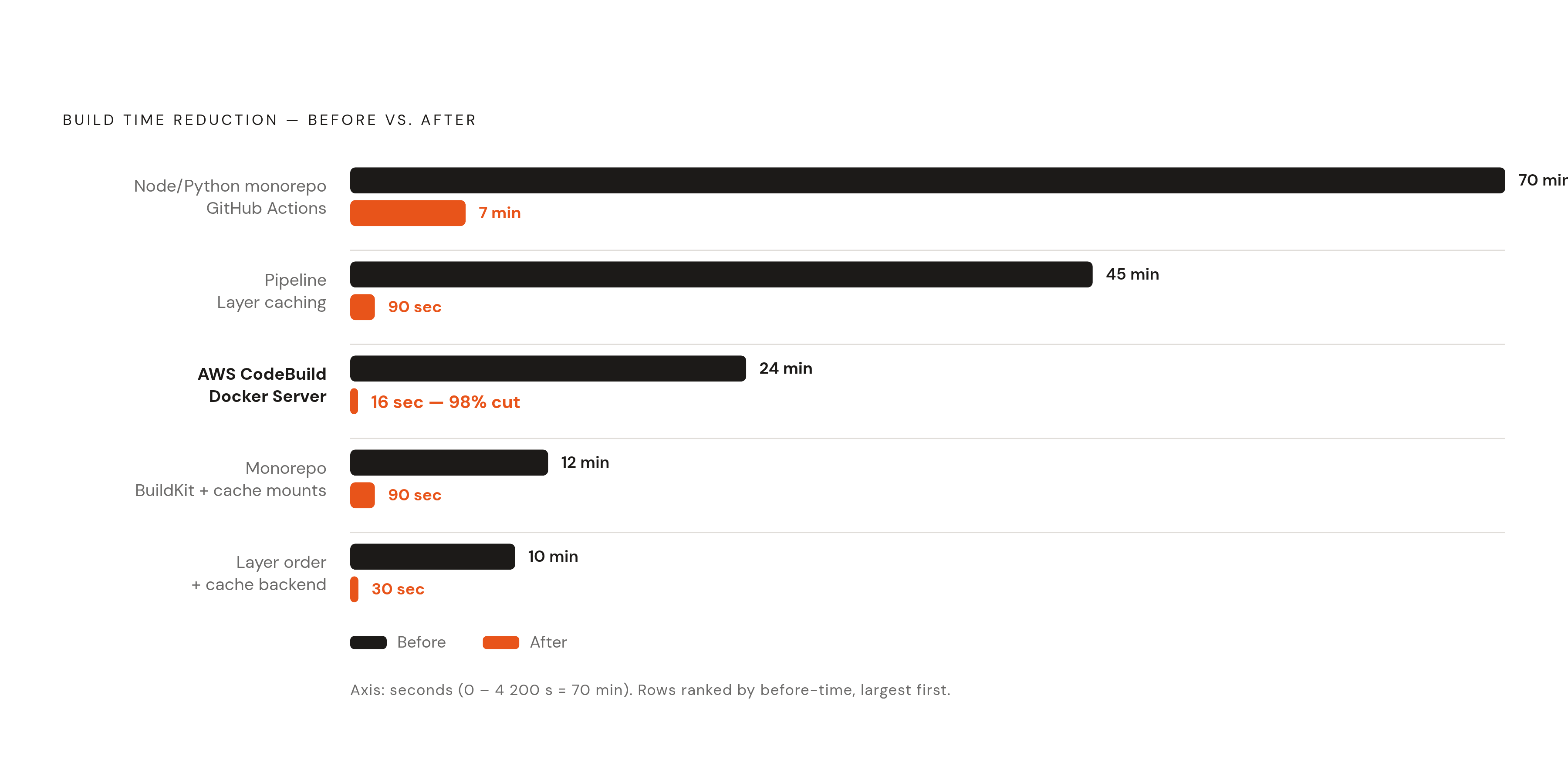
A 10-minute build drops to 30 seconds once layers are ordered right and a cache backend is wired in. A Node and Python monorepo running on GitHub Actions goes from 70 minutes cold to 6 minutes when dependencies haven't changed, or 8 minutes when they have. One team combining BuildKit with cache mounts took a 12-minute monorepo build down to 90 seconds, all while staying under GitHub's 10 GB cache eviction cap. Another team reported a 45-minute pipeline cut to 90 seconds, a 90% reduction, from layer caching alone.
Sitting with these side by side, the spread between them comes down to two things: how slow the cold build was to begin with, and how cleanly the Dockerfile separates what rarely changes from what changes on every commit. AWS CodeBuild's Docker Server capability is the extreme case here (a 98% reduction, from 24 minutes down to 16 seconds) using a persistent centralized cache, a managed, infrastructure-level cache that never gets thrown away between builds. Worth sitting with that number for a second: these aren't hypothetical gains sitting on a whiteboard somewhere. They're minutes actively being burned on every single run, right now, on pipelines that haven't touched their cache setup.
Dockerfile layer ordering: the highest-leverage zero-cost change
The most common mistake in a Dockerfile is putting COPY . . near the top. Any file changing, even a comment in a README, invalidates every layer after it, but the fix costs nothing and takes minutes: copy only the dependency manifest first, install dependencies, then copy the rest of the source.
For a Node project, that means copying package.json and package-lock.json, running npm install, and only then running COPY . .. For Python, copy requirements.txt, run pip install, then copy the application code. The general rule holds across every language: stable instructions near the top of the file, volatile ones near the bottom.
Pair that with a .dockerignore file. Exclude node_modules, .git, test output, local env files, anything not needed to actually build the image. This does two things: it shrinks the build context sent to the Docker daemon, and it stops files that change constantly (logs, IDE settings) from triggering cache misses they have no business triggering. In practice, correct layer order and a real .dockerignore alone can deliver meaningful build time reductions on their own, no cache backend required.
Multi-stage builds carry this same discipline further. The standard pattern for a TypeScript or Node project runs three stages: a deps stage that only installs packages, a builder stage that compiles, and a lean runtime stage that ships just what's needed to run. This keeps build-only dependencies out of the final image, shrinks image size, and improves how well the cache holds up across builds. Note, though, that caching intermediate layers across multi-stage builds needs a registry cache backend running in mode=max, which the next section covers.
These changes work no matter which CI platform runs the build or which cache backend gets bolted on later. They're free, and they're the first thing worth fixing.
BuildKit cache mounts: persisting package manager caches across layer invalidation
--mount=type=cache doesn't get nearly enough attention in CI setups. It persists a package manager's cache directory across builds without baking that directory into an image layer.
The distinction that matters, once you dig into why layer caching alone isn't enough: cache mounts survive layer invalidation, while layer caching breaks the moment package.json changes. A cache mount doesn't care about that kind of change, and even on a full layer cache miss, the npm cache directory underneath still has most packages sitting there warm, so a dependency bump doesn't force a full re-download from the registry.
Common mount targets, by ecosystem:
- Node/npm:
/root/.npm - Python/pip:
/root/.cache/pip - JVM/Gradle:
~/.gradle/caches - JVM/Maven:
~/.m2/repository
For compiled languages like Go, Rust, or C++, the compiler cache mount is often the single biggest win available, because it survives dependency changes that would otherwise trigger a full recompile from scratch.
This needs BuildKit, either via DOCKER_BUILDKIT=1 or through Buildx. Most current CI platforms either default to BuildKit already or make it a one-line switch to turn on. One catch worth flagging early, because it trips people up after they've already wired cache mounts in: cache mounts only live as long as the runner does, unless paired with a cache backend that persists somewhere outside that runner. That's the next problem to solve.
Registry-backed and inline cache backends: making the cache survive the runner
Here's the core issue: CI runners don't keep local BuildKit state around between jobs. Whatever cache exists has to get pushed to some external store before the job ends, and pulled back down at the start of the next one. Two strategies handle this, and they trade off differently.
Inline cache, turned on with BUILDKIT_INLINE_CACHE=1, stores cache metadata right inside the built image, so there's no separate push step to manage. It's simple, and it works with any registry. The catch is that it has limitations with intermediate layer caching in multi-stage builds. Fine for a single-stage image or a team just getting cache setup off the ground; not enough for anything more complex.
Registry cache backend, using type=registry, pushes cache artifacts as their own image to a dedicated tag, something like myimage:buildcache. This supports mode=max, which caches every intermediate layer across every stage. It gets a better hit rate on complex builds and is the right call for multi-stage monorepos. It does need a registry that speaks OCI manifests, which covers ECR, GCR/Artifact Registry, Docker Hub, and GitHub Container Registry.
One more habit worth building in, learned mostly by hitting the opposite problem first: export cache from the main branch, then import it on feature branch builds. That way a feature branch starts from a known-good warm cache instead of building cold every time. On mode selection: mode=min is smaller and pushes faster; mode=max costs more in storage but dramatically improves hit rates on anything with multiple build stages. Which one to pick depends entirely on how many stages the project's Dockerfile actually has.
GitHub Actions: wiring up the GHA cache backend
The native path here is docker/build-push-action with cache-from: type=gha and cache-to: type=gha,mode=max. Cache exports to GitHub's Actions cache service at the end of the job and imports at the start of the next one, with no separate registry needed since the cache lives inside GitHub's own infrastructure.
One thing worth flagging so nobody gets caught by it cold: GitHub deprecated the older Actions cache API, and tooling still speaking the old protocol doesn't degrade gracefully, it just fails. Any team running pinned older versions of Buildx, BuildKit, Docker Compose, or Docker Engine in CI should verify compatibility and update before touching anything else.
There's also a hard ceiling to plan around: GitHub's cache store caps out at 10 GB per repository. Large monorepos running mode=max need to be deliberate about what actually gets cached, or they'll hit constant eviction and lose the benefit entirely.
Self-hosted runners are worth a look too. Persistent storage means the BuildKit store survives between workflow runs with zero network round-trip for export and import. For teams running frequent builds on high-traffic repos, that latency saving adds up fast. And to be clear on scope: type=gha is GitHub-specific. Anyone on GitLab, CircleCI, or GCP needs the registry backend instead.
Platform-specific cache strategies for GitLab, CircleCI, and GCP
GitLab CI has no built-in equivalent to GitHub's Actions cache service. The move here is the registry backend, using GitLab's own Container Registry: authenticate to the registry inside CI, pull the cache image with --cache-from, push a fresh cache image once the build finishes. The same mode=max versus mode=min tradeoff applies, and intermediate layers still need mode=max plus the registry backend to get cached at all.
CircleCI offers Docker Layer Caching, but only on certain plans (Performance, Scale, and custom tiers). It saves image layers built inside a job and reuses them on the next run, at a cost of 200 credits per job. Teams need to weigh that against the compute minutes it actually saves. One scope limit worth knowing, easy to miss until a build doesn't speed up the way you'd expect: DLC only speeds up time spent on docker build or docker compose. It does nothing for primary container spin-up, and it won't help at all if the workflow isn't building new images in the first place.
Google Cloud Build needs two changes: add --cache-from flags to cloudbuild.yaml, and restructure Dockerfiles with proper layer order (same discipline covered earlier). Cache images live in Artifact Registry, priced at £0.10/GB/month past the free tier, and a typical cache image runs 500 MB to 2 GB. Worth noting for anyone still on Kaniko: Google has archived the project, so BuildKit is now the path forward on GCP. Published numbers put Cloud Build's caching savings at 50-70% off build time through layer reuse. Running the math at scale shows whether that's actually worth the setup time: a team doing 3,000 builds a month, saving 7 minutes per build at typical compute rates, comes out to roughly £126 in monthly compute savings, meaning the cache setup pays for itself inside the first week.
AWS CodeBuild with ECR integrates natively with BuildKit's registry backend, pushing cache artifacts to a dedicated ECR repository tag. CodeBuild's Docker Server capability is the standout number here again: a 98% reduction, 24 minutes down to 16 seconds, from a centralized persistent cache. That reduction comes from managed infrastructure doing the heavy lifting, though multi-stage builds and correct layer order still compound on top of it rather than becoming redundant.
Docker Build Cloud as a managed alternative to self-managed cache infrastructure
Every strategy above (registry backends, GHA cache, per-platform tuning) requires setup and ongoing upkeep. Someone has to manage eviction policy, watch cache size, keep registry tags clean. Weighing that ongoing cost against just paying for a managed layer is a legitimate question, and some teams would rather skip owning that infrastructure entirely.
Docker Build Cloud runs builds on dedicated cloud infrastructure, isolated per builder on dedicated cloud infrastructure with persistent volumes, no shared state between builders. Cache persists on that dedicated volume between runs, so there's no export-and-import cycle to manage by hand.
The shared cache feature is the more interesting part for teams: everyone working on the same repo shares one warm cache. A developer running a cold build locally warms the cache that CI can then reuse, and the reverse holds too. That cuts out redundant work across local machines and CI runs alike, not just within CI.
Plans come with included build minutes: Pro at 200 a month, Team at 500, Business at 1,500. Worth checking against actual build volume before committing to a tier. There's no BuildKit daemon to configure, no eviction policy to tune by hand, no registry tag to babysit.
There's a real tradeoff, though. It adds a subscription dependency and moves build execution to infrastructure outside the team's own environment. Teams under strict data residency or compliance rules need to check whether builds running in someone else's cloud actually fits those constraints before adopting it.
What this costs when left unoptimized (and what fixing it is worth)
CI compute costs more than most engineering teams register day to day. A 50-person engineering org typically spends somewhere between $3,000 and $8,000 a month on CI pipeline compute alone, just the minutes spent running builds and tests, before counting any platform subscription fees on top.
Left unoptimized, a large share of that spend is just rebuilding things that never changed: reinstalling the same dependencies, recompiling the same source, pulling the same base images, over and over, run after run. Nothing about that is buying anything, because the cache is never being asked to do its job.
Fixing it doesn't require new infrastructure spend, at least not at first. Layer ordering and a proper .dockerignore cost nothing and deliver meaningful build time savings on their own. Cache mounts and a registry backend take relatively little time to wire up and can push total savings substantially higher. Whether the last stretch comes from platform-native tooling like GHA cache, or from handing the infrastructure over to something managed like Docker Build Cloud, is a call each team makes based on how much they want to own. Still, the baseline fixes (Dockerfile structure, .dockerignore, cache mounts) aren't optional extras. They mark the difference between a pipeline that rebuilds the world every single time and one that only rebuilds what actually changed.