GitHub Actions vs GitLab CI for Kubernetes Deployments
GitLab's integrated design edges GitHub Actions on Kubernetes deployments.
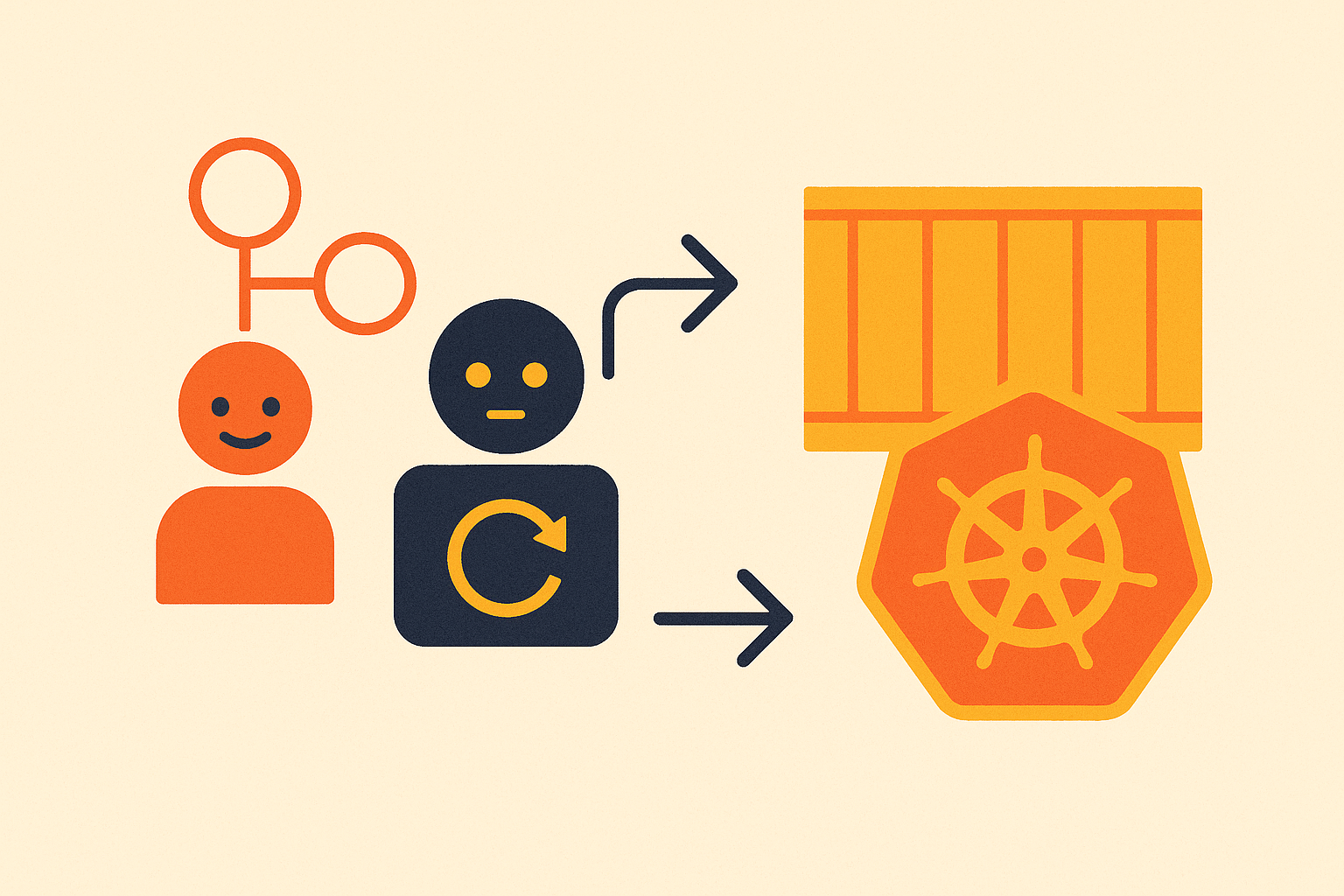
GitLab's Kubernetes executor is the cleanest illustration of what an integrated philosophy actually buys you. When a job triggers, the executor spins up a pod inside your cluster, runs the job, tears it down. Autoscaling is built directly into the runner, tied to queue depth. No separate operator, no additional configuration layer. If you are already running Kubernetes, your pipeline compute scales with your cluster and you barely have to think about it.
GitHub Actions' answer is the Actions Runner Controller, which arrived in 2023. ARC is capable and genuinely Kubernetes-native, but it is a separate operator you deploy, upgrade, and watch for configuration drift. Teams comfortable assembling from components get there without much pain. Teams that want to minimize the number of things they operate will feel that difference every time they update the controller.
GitHub-hosted runners are convenient in a specific way: large machine sizes, no infrastructure management, fast setup. But they assume internet connectivity. The moment you are working in a restricted network, a private cluster, or an air-gapped environment, that convenience evaporates entirely and you are starting the setup work from scratch. GitLab's path to runners inside your own cluster is shorter, mostly because the path was designed with that destination in mind rather than added on later.
Delivering manifests to a cluster: kubectl, Helm, and GitOps patterns
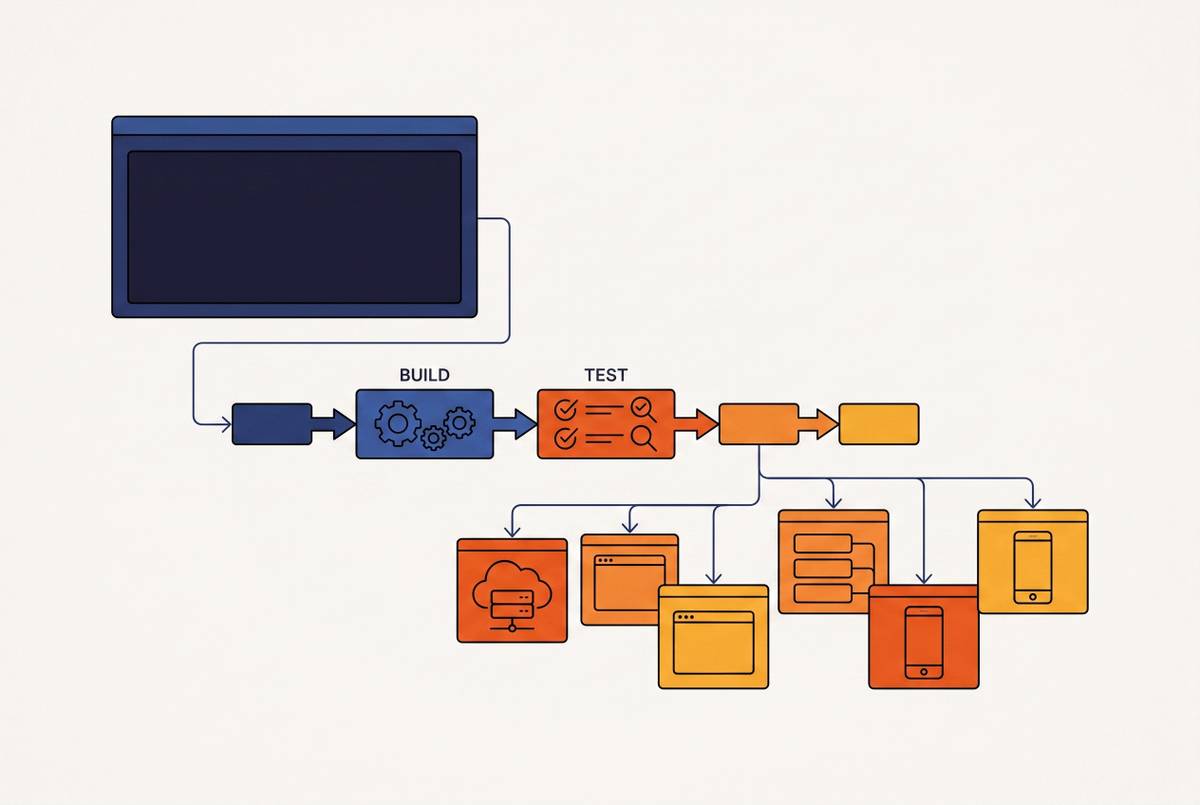
Neither tool ships a first-class manifest delivery primitive. Both treat deployment as a scripted step. The difference is in how much you have to construct to get there.
With GitHub Actions, you reach into the marketplace. Community-maintained actions exist for kubectl, Helm, Kustomize, Argo CD, and essentially every Kubernetes toolchain in active use, over 20,000 community actions at this point. The reproducibility model is explicit: pin by tag or commit SHA and you know exactly what is running. That clarity is genuinely useful. The assembly, though, is yours to do and maintain.
GitLab CI's Auto DevOps can detect your project's language and generate a complete build-and-deploy pipeline without you hand-authoring Helm values or writing deployment jobs from scratch. For smaller teams where pipeline engineering is not a dedicated function, that floor-lowering is meaningful. The GitLab Agent for Kubernetes, agentk, uses a pull-based connection model: your cluster reaches out to GitLab rather than GitLab pushing into your cluster. No inbound firewall rules, cleaner security posture for private clusters. GitLab CI/CD components, introduced in 2024, provide reusable pipeline units scoped within the platform, analogous to marketplace actions but without leaving the ecosystem.
For GitOps patterns, both tools integrate with Argo CD and Flux. GitLab's agent creates a tighter native loop, though. Changes in your pipeline configuration can drive GitOps reconciliation without leaving the platform. With GitHub Actions, that loop typically requires coordinating across multiple services, each with its own authentication and failure mode.
Secrets management and OIDC authentication against cloud providers
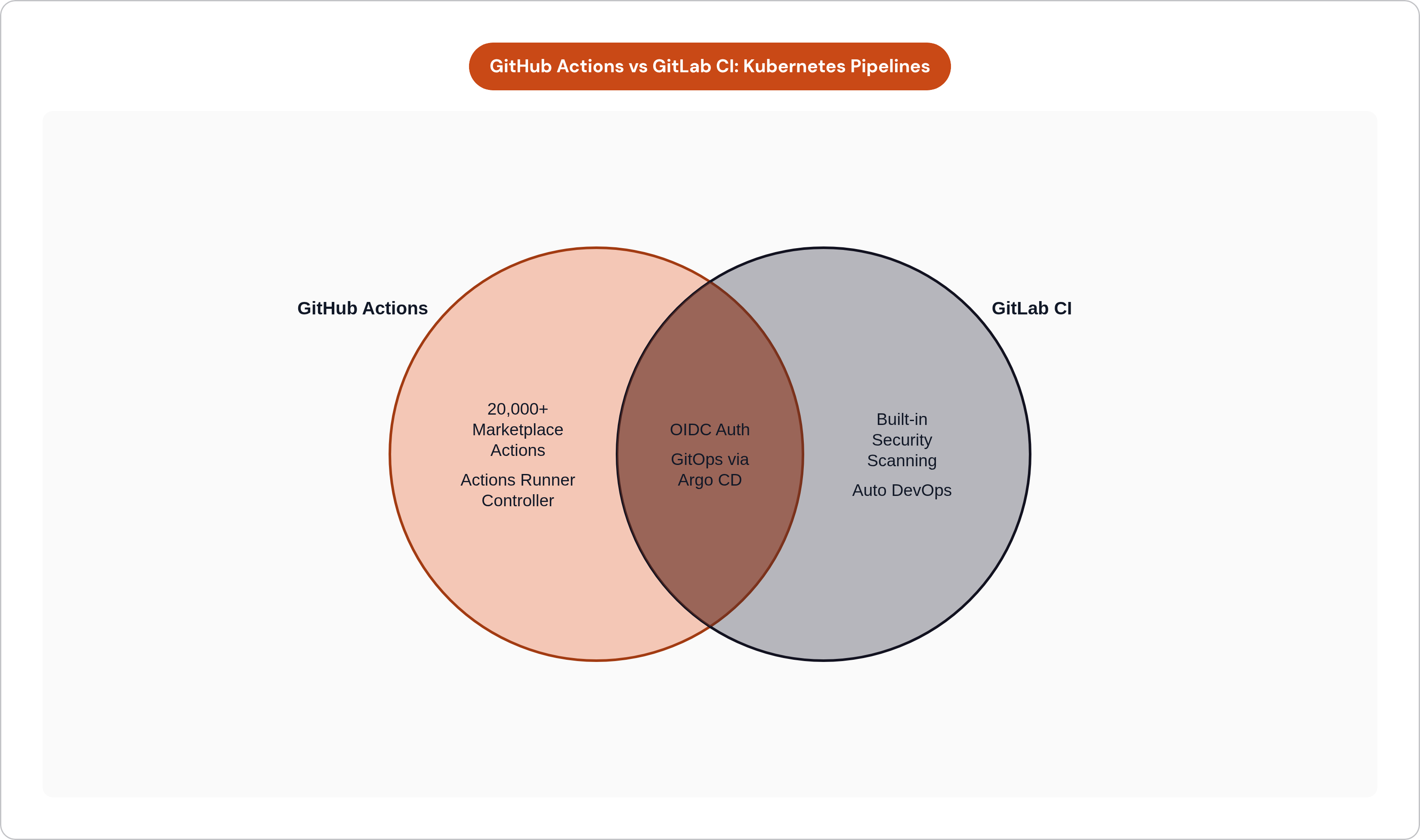
OIDC-based authentication with AWS, GCP, and Azure is table stakes now. Both platforms do it well. You can eliminate long-lived static credentials from either pipeline without real friction. That part of the comparison is a wash and anyone who makes it a centerpiece of their argument is probably selling something.
Where they diverge is granularity. GitLab's environment-scoped variables let you specify which jobs, in which deployment environments, can access which secrets. Staging jobs get staging credentials. Production jobs get production credentials. The enforcement lives in the platform's variable model by default. Replicating that pattern in GitHub Actions requires deliberate construction of environment protection rules and workflow permissions, which is doable but means you are building something GitLab ships out of the box.
GitLab 18.x introduced fine-grained CI/CD job token permissions along least-privilege lines, limiting what a compromised pipeline job can do within the platform. That kind of defense-in-depth matters as pipeline compromise becomes a more common attack vector. It is no longer a theoretical concern.
On the GitHub side, Advanced Security was restructured in April 2025 into separate Secret Protection and Code Security products. For larger teams, the combined cost of those products can exceed the base GitHub Enterprise subscription. Worth running the numbers before assuming the platform comparison is only about runner minutes.
For regulated workloads or teams with strict staging and production separation, GitLab's scoping model requires fewer workarounds. The access control shape most teams actually need is closer to GitLab's default.
Built-in security scanning versus assembled scanning for container workloads
GitLab Ultimate includes SAST, DAST, dependency scanning, container scanning, and license compliance as platform features. You do not assemble them; they are on by default. For Kubernetes deployments, container scanning is the piece that matters most: catching CVEs before a manifest reaches the cluster is substantially cheaper than patching running workloads. GitLab's integrated registry combined with its built-in scanner shortens that loop without any wiring on your part.
GitHub's model relies on CodeQL for code scanning, Dependabot for dependency alerts, and marketplace actions for container and DAST scanning. Comparable coverage is achievable. The tradeoff is that assembly and ongoing version management of those components falls on your team. When a scanning action deprecates a version or a dependency audit tool changes its output format, someone has to notice and respond. That someone is usually whoever is already stretched thinnest.
The compliance dimension compounds this. GitLab Ultimate maps policy enforcement against HIPAA, SOC 2, and a range of other frameworks, and can block merges when critical vulnerabilities are present. For teams in regulated industries, that built-in policy enforcement is an operational difference, not a feature checklist item. GitHub can be configured to enforce similar gates, but that configuration is your responsibility to build, test, and maintain as the platform evolves.
GitLab's out-of-the-box security coverage is broader. That is the accurate characterization. It is gated behind the Ultimate tier, which carries a real price, but GitHub's flexibility carries a maintenance burden that also has a real price; it just shows up in engineering hours rather than a line item.
Container registry integration and its effect on the build-push-deploy loop
GitLab's built-in container registry lives at the project level. Your build step, push step, and deploy step share authentication context by default. You do not configure credentials between them; the platform handles it. For teams deploying multiple services to a Kubernetes cluster, that default coherence eliminates setup work that would otherwise repeat across every service's pipeline. I have watched teams spend an afternoon getting this right in GitHub Actions and not fully understand why it took that long.
GitHub Container Registry, ghcr.io, works well with Actions but sits as a separate service. Explicit authentication between your build job and the registry is required, and in multi-service setups, that wiring has to be correct in each pipeline. Not a steep climb per service, but it is work that accumulates.
The registry integration also connects back to scanning. Because GitLab's registry and scanner live in the same platform, scan results surface directly in the merge request view without additional configuration. With GitHub, surfacing equivalent results at the merge request level requires composing the right actions and configuring their output correctly. When it works it looks seamless to developers. Getting it to work reliably is a different experience.
Friction compounds. The more services you deploy, the more times you encounter each integration point, and the more the integrated model's upfront coherence translates into real time recovered downstream.
Self-hosted and air-gapped deployment requirements
GitLab's self-hosted story is more complete than GitHub's, and the gap is not narrow. The entire platform, source control, CI/CD, registry, and security scanning, runs on-premises or in air-gapped environments under GitLab Self-Managed. The runner, the registry, and the pipeline tooling all stay inside the same boundary. For teams with FedRAMP requirements, data-residency constraints, or strict air-gap policies, that cohesion significantly reduces compliance surface area because there is less to audit.
GitLab Self-Managed supports horizontal and vertical scaling. GitHub Enterprise Server supports only vertical scaling. At large organizations with high pipeline volume, that distinction shapes how you architect the deployment and what your headroom looks like two years out.
GitHub Enterprise Server trails GitHub.com by a release cycle or two historically, and is available only at the Enterprise pricing tier. Self-hosted Actions runners are functional but assume internet connectivity for downloading actions by default. Mirroring action dependencies in a restricted environment is doable and there are teams doing it well, but it is maintenance work that never really ends as action versions change.
GitLab Duo's self-hosted AI model option is worth flagging specifically for regulated teams that want AI-assisted pipeline authoring or code review without data leaving their environment. When data egress controls are non-negotiable, the ability to run the AI tooling inside your own boundary is not a nice-to-have.
Runner cost structure and pipeline minute economics at scale
GitHub Actions' free tier for private repositories sits at 2,000 minutes per month. GitHub Actions recorded over 11.5 billion minutes used across public and open-source projects in 2025 alone. That figure gives you a sense of how quickly consumption compounds at any meaningful deployment frequency.
GitLab's Kubernetes executor changes the cost model at a structural level. Jobs run in ephemeral pods on infrastructure you already own. The marginal cost of an additional pipeline run is cluster compute, not per-minute platform billing. If your team is already paying for Kubernetes nodes in AWS, GCP, or Azure, those nodes can absorb pipeline workloads without adding a separate billing layer. That is not a small thing when you are running dozens of deploys a day.
GitHub's ARC provides a similar outcome, but you are operating the controller. That operational cost is real and belongs on the same ledger as the billing savings when you are doing the comparison honestly.
The crossover point where self-hosted runner economics outperform hosted runner billing depends on deployment frequency and pipeline complexity. The pattern holds consistently: as volume grows, self-hosted improves. Startups already running workloads in their own cloud account will often find that self-hosted runners align naturally with existing compute spend from day one rather than after some future threshold.
How pipeline maturity and team size shift the calculus
Here is where I will stop hedging: the choice is not symmetric and pretending it is does not help anyone make a better decision.
GitHub Actions is the right choice when the team already lives in GitHub and values minimal context switching, when deployment needs map cleanly to available marketplace actions, and when the engineers who own the pipeline have the capacity and inclination to assemble and maintain the scanning, compliance, and registry wiring themselves. That is a real profile. Many excellent engineering teams fit it exactly.
GitLab CI is the right choice when you want one platform for source control, CI/CD, registry, and security scanning without sourcing those components from separate places. It is the right choice when self-hosted or air-gapped operation is a hard requirement, when compliance frameworks benefit from built-in policy enforcement rather than configured tooling, and when pipeline execution needs to scale on existing Kubernetes infrastructure without running a separate controller. JetBrains' 2025 State of CI/CD data shows GitLab CI growing fastest in enterprise contexts, and that tracks with the profile: organizations where the cost of assembling and maintaining tooling is higher than the cost of the platform.
For small teams and early-stage startups, the operational overhead of assembling a GitHub Actions Kubernetes pipeline is time not spent on the product. GitLab's integrated path reduces moving parts, which is usually the right trade when engineering capacity is constrained.
For teams migrating from Heroku or another managed PaaS, the more important architectural decision is owning the deployment target itself: a Kubernetes cluster running in your own cloud account. Getting that foundation right matters more than which pipeline tool you attach to it. The CI layer is secondary. Choose the platform that fits how your team actually operates, then build from there.