HIPAA Compliant Deployment Architecture on GCP
Google Cloud's infrastructure is secure, but your misconfigured deployment will breach anyway.
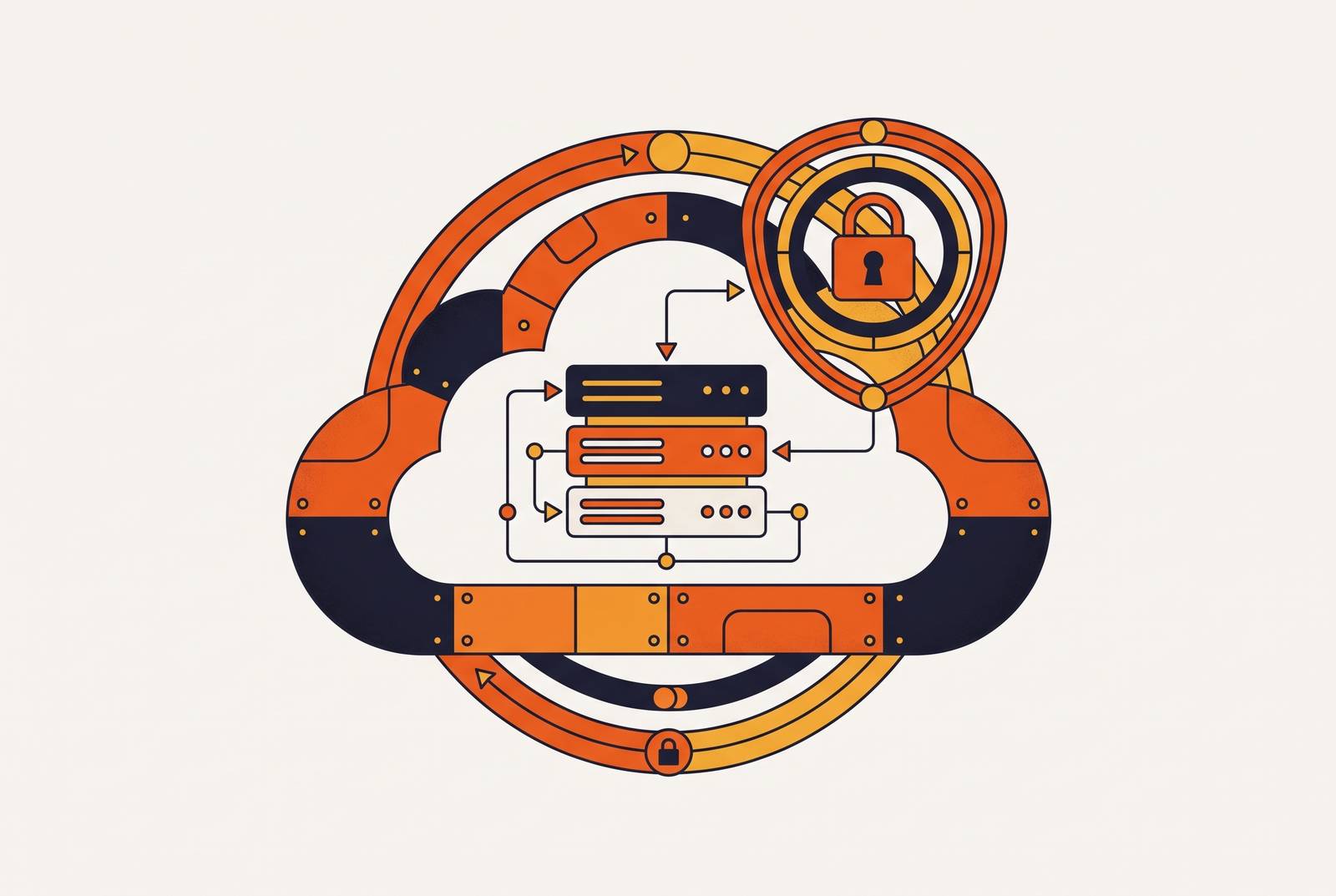
GCP is HIPAA-capable but not automatically HIPAA-compliant. Mixing up those two words is how a healthcare team ends up writing a breach notification letter instead of shipping the product launch they'd planned for that week. Google's infrastructure clears the security bar fine; whether your specific deployment handles PHI lawfully depends on how you configure and run it, and most cloud HIPAA violations trace back to customer misconfiguration rather than the platform underneath. Same story at AWS, same story at Azure, and nobody hands you a compliant environment out of the box. You get the tools, and the audit-ready part is on you.
What the GCP Business Associate Agreement covers and why it matters before you write a line of code
Before any PHI touches a GCP resource, you need a signed Business Associate Agreement with Google. Sign it early, before anyone's made a single architecture call, and your compliance timeline stays clean. Sign it late, and you're the one explaining the gap to someone holding a clipboard.
The mechanics are simple. Log into the GCP Console as an Organization Administrator, find the legal agreements section under your billing account, review the terms, accept electronically, and save the executed document somewhere your compliance team can pull up in five seconds flat, because an auditor will ask, and "let me check" isn't an answer anyone wants to give.
GCP's BAA covers all GCP services, serverless products like Cloud Run, Cloud Functions, and BigQuery included. Coverage applies across every region, so you're not stuck picking one geography and staying put, and Google doesn't charge extra for HIPAA-eligible workloads. Sustained use discounts and standard pricing work the same as any other project.
The groundwork underneath is already poured. Google carries ISO/IEC 27001, 27017, and 27018 certifications, a SOC 2 report, FedRAMP certification, and alignment with HITRUST. You inherit that audited base before you've touched a single config file. Treat the signed BAA as a permanent record from day one, not a box checked in January and forgotten by March.
How to segment a GCP network so PHI never reaches an exposed surface
This holds on any cloud: separate what the internet touches from what runs your app from what stores the data. Three tiers, and PHI belongs in exactly one of them.
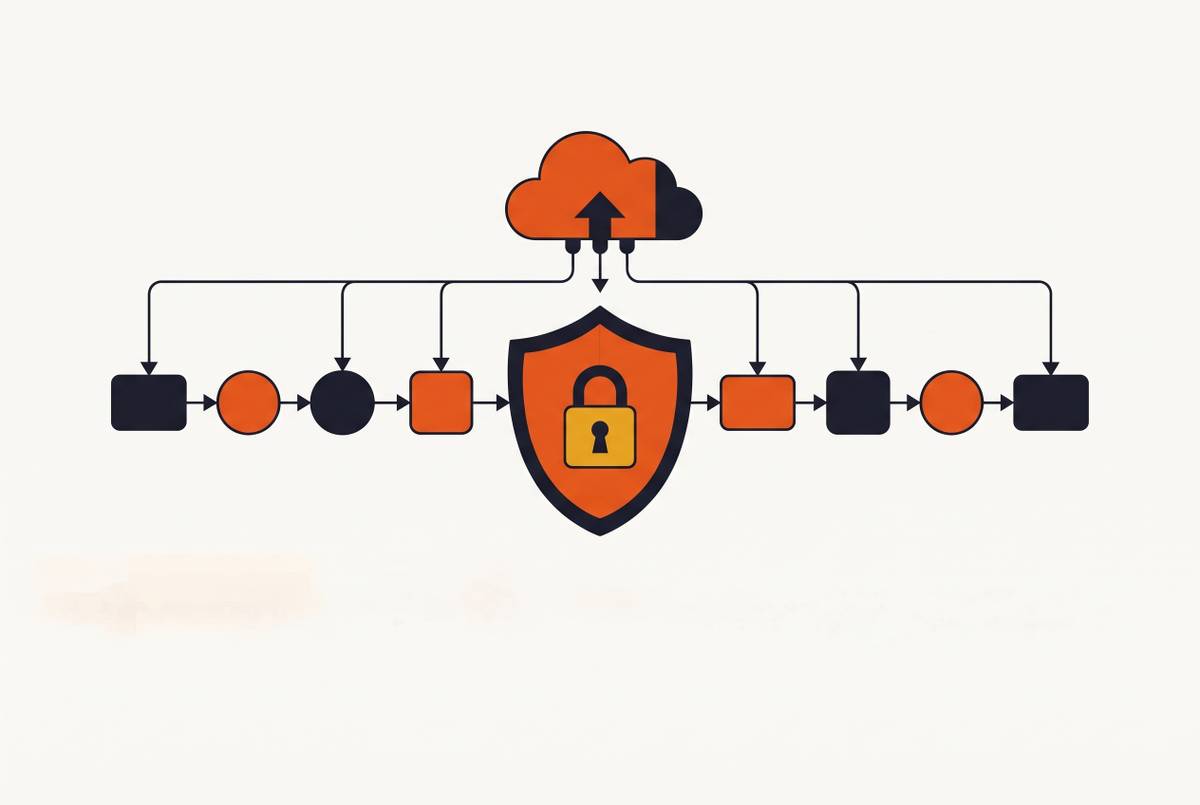
The public tier handles load balancers and API gateways, terminates TLS, accepts external traffic, and never holds PHI, full stop. The application tier runs your app servers and containers in private subnets with no direct route out to the internet. The data tier holds your databases, fully isolated, zero internet route in either direction.
PHI showing up in the public tier isn't a misconfiguration you patch later. It's a design failure that shouldn't have been buildable in the first place.
On GCP, that means a dedicated VPC for PHI processing in custom subnet mode, VPC Flow Logs turned on across every subnet for your audit trail, and Private Google Access enabled so private-subnet workloads reach GCP APIs without needing a public IP. Set the firewall to default-deny, then open only the specific inter-tier ports you actually need. Route outbound traffic from private subnets through Cloud NAT, and make sure nothing in the application or data tier ever gets handed a public IP, period.
Stack VPC Service Controls on top of that. It draws a perimeter around your GCP resources that blocks data exfiltration, even from users who are otherwise authorized to touch the data. An engineer with legitimate access can still, carelessly or by accident, move ePHI into a personal storage bucket or some external destination. VPC Service Controls catches that when firewall rules alone won't.
The most common failure often has nothing to do with a firewall mistake. It's an engineer debugging a broken app at 11pm, granting overly broad IAM permissions just to clear an error message, and accidentally exposing a Cloud Storage bucket to all authenticated users. Network segmentation won't catch that on its own; firewall rules and IAM discipline need to pull the same direction. GCP's Assured Workloads for Healthcare & Life Sciences enforces baseline configs automatically, which takes some of that weight off the engineer who's just trying to fix a bug at midnight.
Encrypting PHI at rest and in transit across every GCP service layer
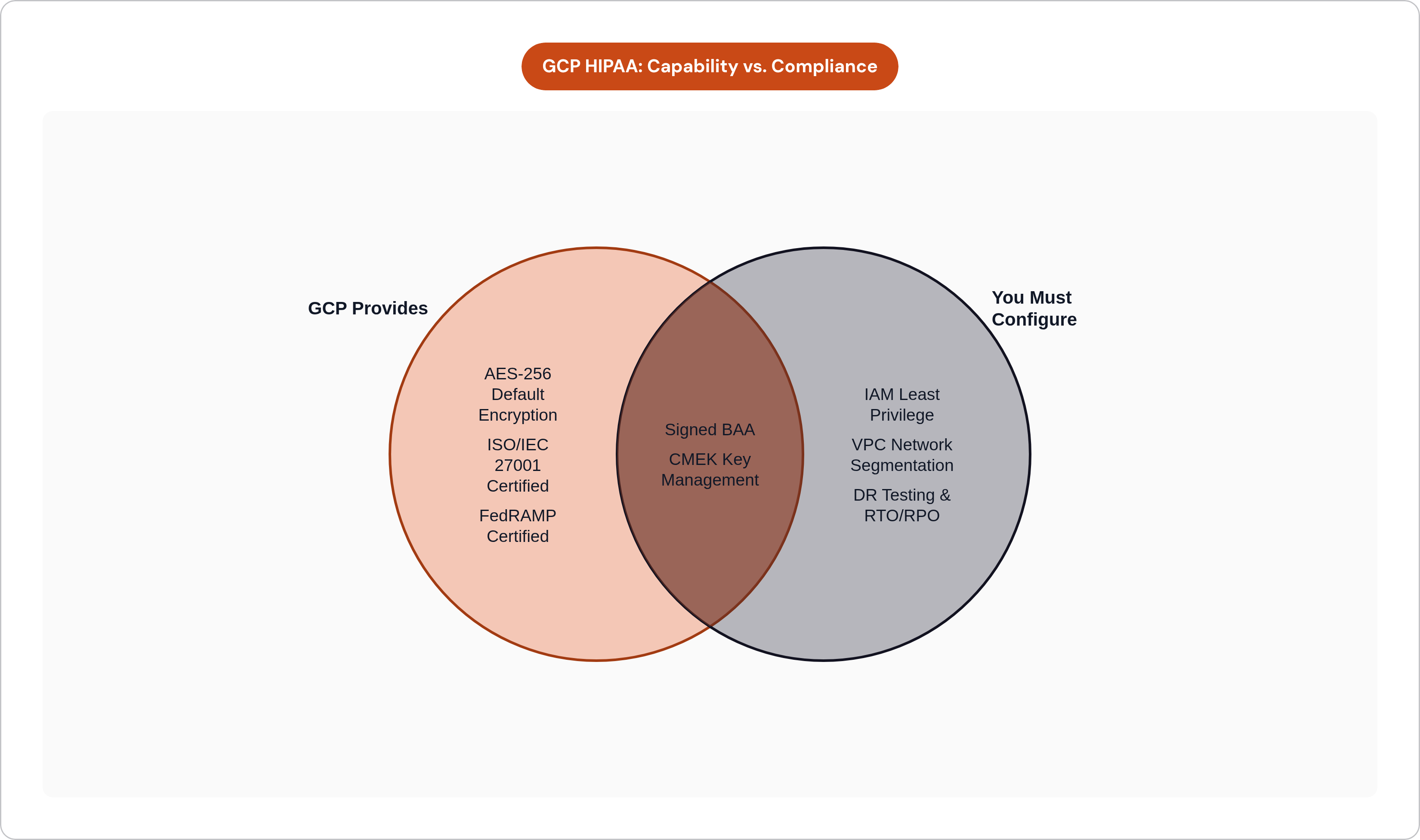
GCP encrypts everything at rest with AES-256 by default. What actually decides your compliance posture is who holds the keys, Google or you.
For regulated workloads, use customer-managed encryption keys through Cloud KMS. Set up a dedicated GCP project for Cloud KMS, kept apart from your application workloads, with automated key rotation on a schedule (quarterly is a reasonable floor). Bind those CMEK keys directly to your Cloud Storage buckets and Cloud SQL instances instead of leaving encryption sitting at the project default and hoping that covers it.
In transit, TLS is non-negotiable everywhere, including internal service-to-service traffic that never leaves your VPC. Teams assume encryption in transit only matters at the edge, but internal traffic carrying PHI needs the same protection as anything facing the public internet. The 2025 HIPAA rule updates require TLS 1.3 for ePHI in transit, with a compliance deadline of December 31, 2025.
A few settings are worth locking down at the service level. On Cloud Storage: enable uniform bucket-level access, disable public access on anything that could hold ePHI, turn on object versioning. On Cloud SQL: enforce CMEK at the instance level, require TLS connections, use private IP only. On BigQuery: encrypt datasets with CMEK and block public dataset access completely, no exceptions.
Key management is where teams cut corners, usually without meaning to. A key policy that's a little too loose, or a key nobody's rotated in eighteen months, creates real audit exposure even while the underlying data sits encrypted the whole time.
IAM design for PHI access: least privilege as an architecture decision, not a policy document
HIPAA's minimum necessary standard sounds like legal boilerplate. On GCP, it's a technical constraint: no service, user, or process touches PHI beyond exactly what its job requires, nothing more.
Every workload gets its own dedicated service account, and you should never share one account across services with different PHI needs. Grant IAM roles at the narrowest resource scope possible, not at the project level. Keep primitive roles like Owner, Editor, or Viewer nowhere near PHI, and require multi-factor authentication for every human account in the org, no exceptions carved out for "just this one admin, just this once."
Split IAM permissions by tier the same way you split the network. Application-tier service accounts shouldn't touch the KMS project at all. Data-tier access stays locked to the specific Cloud SQL instances and Cloud Storage buckets it actually needs, nothing broader.
Access review can't be a set-it-once task, because permissions drift, and it's almost always the same story: someone grabs elevated access during a late-night incident, the fire gets put out, and nobody remembers to revoke it. HIPAA's audit controls require documented, periodic review, and that review is the only thing standing between you and an auditor finding the drift before you do.
One thing people miss constantly: PHI should never show up in resource names, labels, or environment variable keys. Those surfaces get logged everywhere and turn up in IAM policy conditions, so someone with zero data-tier access could still spot a patient identifier sitting right there in a bucket name. Document break-glass procedures for emergency access separately from normal operations, and log every use of that elevated access, since anything unlogged might as well not have happened, as far as an auditor's concerned.
Audit logging architecture that satisfies HIPAA's six-year retention requirement without runaway storage costs
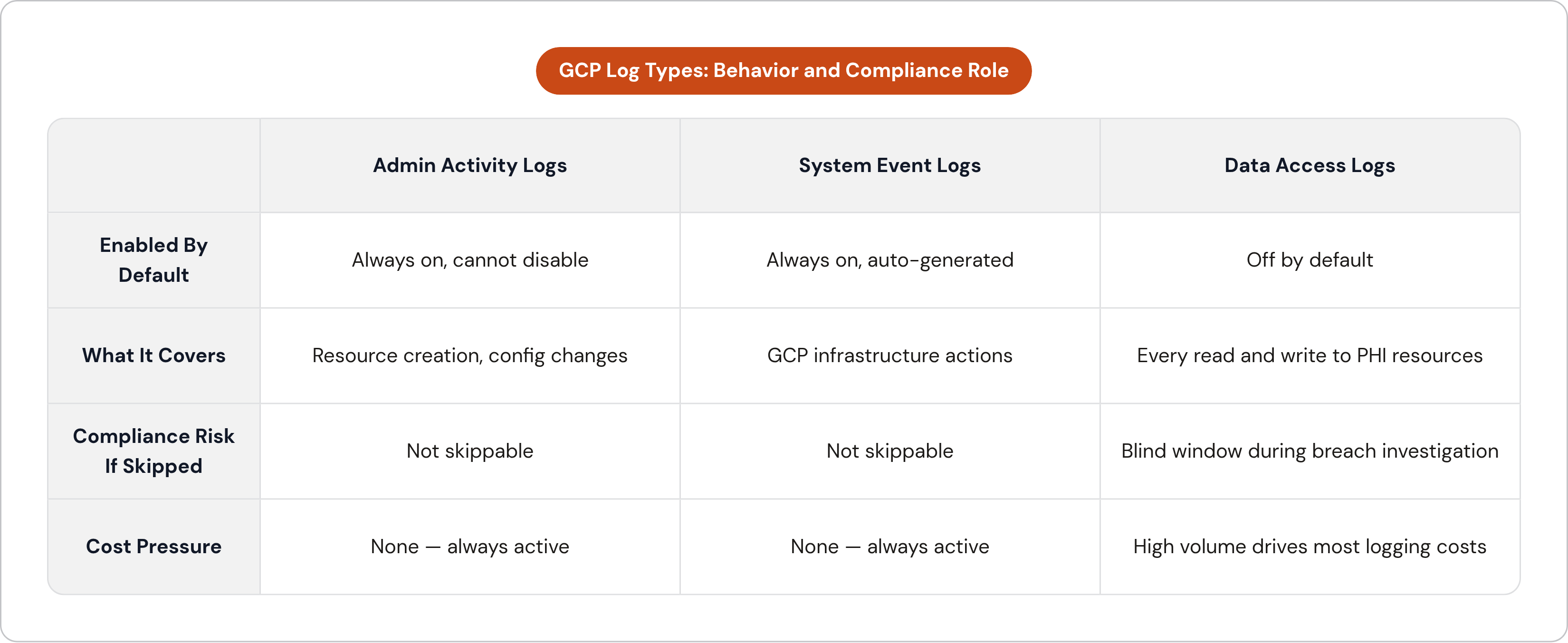
HIPAA wants centralized, immutable logs of every API call, every data access event, every config change. GCP's Cloud Audit Logs give you three log types, and they don't behave the same way.
Admin Activity logs are always on. You can't turn them off, and they cover resource creation and config changes automatically. System Event logs generate on their own from GCP's infrastructure actions. Data Access logs matter most, and they're the ones teams disable, because logging every read and write to PHI-holding resources gets expensive fast. Turn them off to save money, and you end up with a blank window during an incident, unable to say how far a breach actually went, and that gap costs a lot more than the storage would have.
Logging everything forever inside Cloud Logging is cost-prohibitive once you're staring down six years of retention, HIPAA's floor. Configure log sinks to export into tiered storage instead: BigQuery for the logs you'll actually query during a forensic investigation, Coldline Cloud Storage for long-term archival at a fraction of the price, immutable from the moment it's written.
Lock down the export destination too. A sink dumping logs into a bucket with broad access defeats the whole point of keeping an audit trail. Set retention policies and object holds on those archive buckets so nothing gets deleted or modified, even by someone holding admin rights. Logging and alerting are separate jobs; Cloud Monitoring and Security Command Center need to be watching for anomalous access in real time, alongside the audit trail itself, since neither one substitutes for the other.
Disaster recovery design that satisfies HIPAA's contingency planning rule
Having backups isn't having a contingency plan. HIPAA's rule wants documented, tested procedures proving you can recover PHI within a defined window, and "we've got snapshots somewhere" doesn't clear that bar.
There are two separate problems here, each with its own fix. High availability handles instance or zone failures inside a single region: multi-zone deployment, so one bad zone doesn't take the whole service down with it. Disaster recovery handles the bigger failure, an entire region going dark, and that needs cross-region backups plus a written recovery process someone's actually tested.
On Cloud SQL, that's a standby replica in a second zone for HA, automated backups with point-in-time recovery, and cross-region read replicas for the DR case. Cloud Storage should run multi-region or dual-region buckets for any ePHI needing geographic redundancy. On GKE, spread nodes across multiple zones in the region and let cluster autoscaling absorb node failures without someone getting paged at 2am.
Set actual RTO and RPO numbers, write them down, test them on a real schedule, not "whenever we get around to it." Those written targets are what an auditor wants to see, and untested backups leave you guessing about recovery time instead of proving it. GCP's BAA already covers multi-region setups, so spreading your deployment geographically works in your favor here, not against it.
Where PaaS abstractions help and where they create HIPAA blind spots
Build on raw GCP and you get full architectural control, but you also absorb every hour of ongoing compliance upkeep, month after month, long before any of it turns into product work your users can see.
Shared-tenant PaaS platforms flip that trade around. You give up visibility into exactly how the platform handles isolation, key management, and audit logging, and you trust the vendor built it right. Heroku's HIPAA-eligible tier, Shield, sits behind the Enterprise plan, out of reach for most early-stage teams, and Heroku itself is now running in sustaining engineering mode: no new features, no new Enterprise contracts for new customers. Render launched HIPAA-enabled workspaces in 2025 on higher-tier plans with a usage surcharge on all compute and storage in that workspace, fine for teams with straightforward needs, though the offering is new and doesn't include HITRUST certification yet. Vercel signs BAAs and supports HIPAA as a business associate, but the private networking that HIPAA-grade isolation depends on sits locked behind its Enterprise plan too.
Same pattern across all three. Shared-tenant PaaS trades depth of control for simplicity, and that's fine early on, but it gets harder to defend once a healthcare product starts selling to enterprise customers asking for HITRUST, or an audit trail stricter than what the platform was ever built to produce.
There's a middle path worth knowing about. A platform that deploys straight into your own GCP account inherits GCP's entire compliance surface, the BAA, the CMEK, the VPC isolation, the audit logging, while still taking the configuration grind off your plate.
How Porter deploys a HIPAA-compliant GCP environment without making compliance a dedicated engineering workstream
Some platforms deploy production environments directly into the customer's own GCP account, so the customer owns the cloud, keeps the audit artifacts, and holds the BAA directly with Google.
On such a platform, the VPC isolation, the CMEK setup, the audit logging, the least-privilege IAM — everything covered above — gets handled by the platform, sparing your own team from writing Terraform at midnight before an audit.
The configuration grind that would otherwise fall to your team gets absorbed by the platform instead. Network configuration follows the same multi-tier isolation pattern laid out earlier, by default, not as an opt-in. Cluster management, autoscaling, and node upgrades get taken off your plate entirely, so engineers spend their time shipping features instead of babysitting a Kubernetes version bump on a Friday afternoon.
For healthcare startups with specialized compute needs, that same architecture can be extended to support more demanding workloadsely. That matters for teams running inference or training pipelines that touch PHI and need HIPAA compliance without giving up compute flexibility. Pricing stays resource-based and clear: you pay for the compute you use, no compliance tax stacked on top of every resource in the environment.
There's a startup program built for early teams who need compliant infrastructure before they've made their first DevOps hire. For teams migrating off Heroku Shield, Render's HIPAA workspace, or a hand-built GCP setup, moving to such a platform doesn't mean rebuilding the application layer. The infrastructure underneath changes; the app sitting on top of it stays exactly as it is.
The operational practices that keep a compliant GCP deployment compliant over time
Compliance isn't a state you reach once and hold onto forever. It slips a little at a time, one skipped review here, one forgotten key rotation there, and most teams don't notice until an auditor points it out for them.
Everything covered in this piece, VPC isolation, CMEK, IAM scoping, audit logging, DR testing, is the starting line, not the finish, and every one of those controls decays without regular attention. Access permissions drift as engineers come and go, keys sit unrotated past their schedule when nobody's watching the calendar, and recovery drills get pushed to "next quarter" until next quarter never actually shows up.
Teams that stay compliant treat these controls as recurring work: scheduled IAM reviews, scheduled key rotation checks, scheduled recovery drills, logged the same way the original setup was. That documentation is what an auditor actually wants, proof the system gets checked on a real cadence, alongside proof it was built right once, two years ago, by someone who's since left the company.
Whether that work happens through internal process or gets picked up by a platform built to run it automatically, the standard doesn't change. What matters is whether PHI stayed protected today, and every day before it.