Render vs Heroku for Production Startup Workloads
Heroku's in maintenance mode while Render scales—here's which ceiling you'll hit first.
Render versus Heroku shows up in nearly every early-stage engineering Slack at some point, usually right after someone gets a surprise bill or hits a timeout they didn't know existed. Most of that debate compares dashboards and deploy speed, but that's the wrong altitude. The real question is what happens when your production traffic, your compliance needs, or your AI workload outgrows what either platform was built to hold. Both platforms hide infrastructure complexity from you, and that's the whole pitch; it's also exactly where the trouble starts once you scale past what "hidden" can cover. This piece walks through four things that actually matter in production: how each platform behaves under real load, how much compliance room each one gives you, what the cost curve looks like a year or two out, and where the ceiling sits. There's no single winner here. The goal is figuring out which ceiling you'll hit first, and what you do when you get there.
Heroku's current position and what "sustaining engineering" actually means for users
As of February 2026, Heroku moved to what Salesforce calls sustaining engineering. In plain terms: the lights stay on, but nobody's building anything new. The platform keeps running, keeps getting patched for security, and that's about it.
Here's what that means if you're running production traffic on it today. Pricing stays put: dyno rates, add-on costs, Shield tier pricing, all frozen where they are. Any feature gap that existed before the switch to maintenance mode is probably permanent now. And compliance gaps you're aware of today? Nobody's closing those either. You're planning your roadmap around a platform that no longer has one.
The 2025 "Fir" runtime release, built on Kubernetes with OCI image support and both AMD64 and ARM chips, looked like progress on paper. Read it more carefully though, and it's an admission. Heroku spent years watching competitors ship container-native, multi-arch platforms while it stood still, and Fir was the catch-up move, not a sign of momentum.
The real fracture point happened earlier, in 2022, when Heroku killed its free tier overnight: no more free dynos, no more free Postgres, no more free Redis. That single decision sent a whole generation of side-project developers and early-stage founders looking elsewhere, and Render picked up a huge share of that migration. It's worth remembering that the trust break happened years before the sustaining engineering announcement made it official.
Stack Overflow's 2025 developer survey found a meaningfully larger share of current Heroku users actively planning to migrate within the next year, up substantially from two years before. That's a platform that's stable in the way a parked car is stable: reliable, going nowhere, and slowly losing value while it sits there.
What production startup workloads actually stress-test on a PaaS
Most comparisons stop at "how fast can I deploy." Fair question for a demo. Useless question once you have paying customers and 2am pages.
Production workloads stress four things that never show up in a getting-started guide. Uptime and restart behavior: does the platform force downtime on you that you didn't ask for? Timeout and latency limits: does the platform cut off requests your users actually make? Compliance posture: can you run a regulated workload without bolting on a whole second infrastructure layer? And the cost curve: does growth make your bill worse faster than your revenue grows?
AI and API-heavy startups add a fifth stress point, and it's becoming the most common one I see teams miss: long-running requests. Inference calls, webhook processors, PDF generation, big file uploads, batch jobs that just need more than a few seconds to finish. These aren't rare edge cases anymore. They're standard behavior for any growth-stage product doing something more interesting than serving a CRUD app.
Both Render and Heroku handle day-one workloads just fine. Where they split apart is when uptime, timeouts, compliance, and cost all get stressed at the same time, which is exactly what happens the month you sign your first enterprise customer.
Reliability differences that surface in production on Heroku
Heroku hard-codes a 30-second HTTP response timeout. Not configurable, no exception, no plan upgrade that removes it. Doesn't matter if you're on a $25/month dyno or the biggest Performance dyno Heroku sells: 30 seconds, and then the client gets a 503.
That number sounds abstract until it isn't. An AI inference endpoint that takes 35 seconds to return a response fails, full stop, regardless of how much compute you throw at the dyno. Long PDF generation jobs, webhook handlers doing real work, file processing that takes a minute: none of that works as a normal request-response cycle on Heroku. You end up building background workers and polling endpoints just to route around a limit that has nothing to do with your actual traffic. And most teams find this in staging, a week before launch, not during planning. That's a forced rewrite at the worst possible time.
Then there's the 24-hour dyno restart cycle. Every dyno gets recycled daily, no matter what. In-memory caches, connection pools, warm ML models: gone, every 24 hours. WebSocket connections get severed mid-session, which is a real problem if you're running anything with live chat, real-time collaboration, or streaming updates. You can avoid the restart cycle, technically, by moving to Performance dynos. That costs a lot more, and it's less a fix than a workaround you pay for monthly.
Heroku also has no health-check-driven self-healing. If a dyno hangs, gets stuck, or stops responding to real traffic while still reporting itself as alive, Heroku has no mechanism to notice and restart it based on a custom health check path. And zero-downtime deploys aren't a given at entry-level dyno tiers; you need the right configuration and the right dyno type just to get a deploy that doesn't drop requests.
None of this is a bug. It's architecture, baked into a runtime that was designed years before "production" meant what it means now.
Reliability differences that surface in production on Render
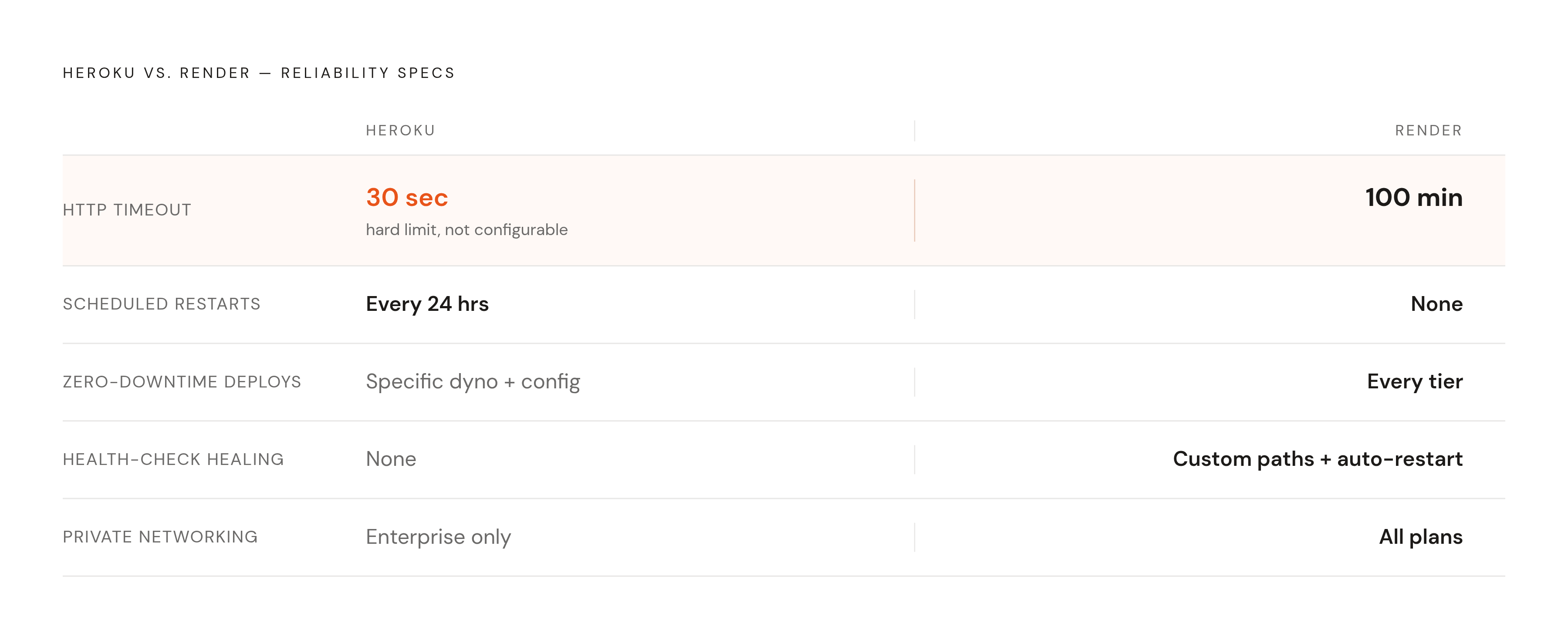
Render's timeout ceiling goes up to 100 minutes. That's not a typo, and it's the single biggest reliability difference between the two platforms. It removes the forced async workaround Heroku makes you build for anything AI-related or long-running: a request can just take the time it needs to take.
Render doesn't do scheduled restarts either. Services run continuously, and zero-downtime deploys are standard across every tier, not something you have to configure your way into. Render also supports custom HTTP health check paths with automatic restarts when an app stops responding, which is the self-healing behavior Heroku simply doesn't have.
That's the good news. Here's where Render's own ceiling shows up.
As of 2026, Render runs each service in a single region, with no built-in multi-region failover. If you're serving latency-sensitive traffic globally, you're architecting around that limitation yourself, because Render won't do it for you. Auto-scaling exists, but it's nowhere near as granular as Kubernetes HPA; if your workload needs fine-tuned scaling policies based on custom metrics, you'll feel that gap. Managed Postgres and Redis work well for most teams, but advanced features like read replicas were still in beta as of 2026, which matters once your database becomes the bottleneck.
SSH access on paid plans and Docker as a first-class deploy target are genuine strengths, no argument there. But they don't offset the single-region constraint once you're operating at real scale.
For most startup production workloads, Render's reliability story is the stronger one. "Most" is doing real work in that sentence, though, and it's worth sitting with rather than skipping past.
How the cost structures of both platforms behave as a startup scales
Heroku's pricing model is additive by design, and additive pricing compounds in ways that sneak up on you. Compute, databases, and add-ons all stack, and each one grows separately as your usage grows.
Take a realistic "we have paying customers" setup: a couple of web dynos, one background worker, a managed Postgres instance, a staging environment mirroring production. That stack lands in the several-hundred-dollars-a-month range before you've added a single third-party add-on for logging, email, or search.
Render's pricing at comparable resource levels runs meaningfully lower. For similar RAM and compute, teams consistently report running Render at a fraction of what the same workload costs on Heroku. One documented Rails migration saved around $828 a year, and that number actually understates the gap, because it's a minimal-stack example; teams running more services see the gap widen further. Render also bills per second, so bursty or variable workloads don't pay for idle time the way Heroku's dyno model charges you regardless of how much you're actually using.
But there's a ceiling on both sides, and it's worth naming directly: at a certain monthly spend, running a VPS with Docker Compose, or standing up your own managed Kubernetes layer, starts looking genuinely competitive against either PaaS. That inflection point shows up faster on Heroku, given the steeper cost curve, but it shows up on Render too, just later. The real question isn't which platform is cheaper today. It's which pricing model still makes sense a year from now, once your usage has tripled.
Worth a mention: platforms like Railway and Fly.io offer usage-based pricing that can undercut both Render and Heroku at small scale, though usage-based billing brings its own tradeoff, namely a less predictable bill. Just useful context for the landscape you're choosing inside.
Compliance headroom on each platform and where regulated workloads hit a wall
Render, as of 2026, holds SOC 2 Type II certification, offers HIPAA-enabled workspaces, is GDPR compliant, and has ISO/IEC 27001 certification in progress. That's a real foundation, backed by concrete certifications rather than a marketing line.
SOC 2 Type II specifically has become close to mandatory for enterprise sales. No law requires it, but try closing a deal with a security team at a mid-size company without it, and you'll find out how functionally required it actually is.
HIPAA is a different animal: federal law, with penalties that can run into the millions per violation category annually. HHS proposed rulemaking in January 2025 that would remove the current "addressable" versus "required" distinction in the HIPAA Security Rule, replacing it with mandatory encryption, mandatory MFA, and annual penetration testing. Not finalized as of mid-2026, but the direction is clear, and it's a stricter one.
Render's HIPAA-enabled workspaces follow a shared responsibility model. Render covers platform-layer controls, but your team still owns software configuration, database access rules, identity management, and how user data actually gets handled inside your app. The workspace reduces your compliance burden; it doesn't erase it.
Heroku's compliance offering costs more, but it goes further. Heroku Shield, Private Spaces, and Heroku Connect remain real advantages for companies in regulated industries or anyone who needs Salesforce integration baked in. Private networking on Heroku only comes with Private Spaces, which is an enterprise tier with a real monthly premium attached. Render, by contrast, gives every customer private networking as a standard feature, no upsell required. Heroku's compliance certifications, taken as a whole, still cover more regulated ground than Render's, and for healthcare, finance, or government workloads, that gap is not cosmetic.
Here's the ceiling worth planning for: a health-tech or fintech startup that starts on Render can run comfortably for a while, then find its compliance requirements moving upmarket faster than Render's certification roadmap does. Not an emergency. Just something to see coming.
Where AI and inference workloads exceed what either platform was designed for
Neither platform offers native GPU instances. Full stop, and this is the hardest ceiling in this entire comparison for any startup building an AI product.
Play that out. LLM inference needs GPU access that neither Heroku nor Render provides, which leaves you with two bad options: run inference on CPU, which is slow and expensive per token, or offload the GPU work to a separate provider and now you're managing two infrastructure layers instead of one. Heroku's 30-second timeout makes this worse; it's structurally incompatible with synchronous inference calls for most real models. Render's much higher timeout ceiling at least lets the request finish, which counts as a real advantage here, even if it doesn't solve the underlying GPU gap.
The pattern that breaks both platforms is common and getting more common: a startup running an AI product needs to call a model, return a response inside a latency window users will tolerate, and scale that one endpoint independently from the rest of the web app. Neither platform was built for that shape of workload.
The GPU cloud market has grown fast, and there are purpose-built options: AWS, GCP, and Azure GPU instances, along with specialized inference providers built for exactly this. All of them require infrastructure management that neither Render nor Heroku abstracts away for you. If you're building an AI-native product, Render versus Heroku probably isn't the decision that matters most. The real conversation needs a layer built for GPU workloads, autoscaling inference endpoints, and controlling cost against model traffic that swings wildly hour to hour.
The Heroku add-on ecosystem as both an advantage and a migration liability
Heroku's add-on marketplace is still its strongest, most durable advantage, full stop. Hundreds of third-party services, one click to provision: logging, monitoring, email, search, analytics, all wired in without touching a config file.
Render's marketplace is a lot smaller by comparison, and that's a real gap, not a footnote, if your team has built workflows around specific Heroku add-ons over the years.
Here's how the lock-in actually works. Add-ons get provisioned through Heroku, and their credentials land as environment variables in your app. Switching platforms means finding a replacement service for each one and rewiring the integration by hand. Some add-ons don't have a clean equivalent anywhere else. Heroku Connect, for Salesforce sync, is the clearest example: teams with a real Salesforce dependency may not have a practical path off Heroku at all. But plenty of other add-ons, SendGrid or Papertrail among them, can keep running exactly as they are after a migration. You just copy the environment variables over to Render and point your app at the same service. The dependency is real, but it's softer than it looks at first glance.
Both things are true at once here: Heroku's add-on ecosystem is a genuine productivity win for a team early in its life, and a genuine cost to unwind for a team that's grown dependent on it. If you're weighing a migration, map every add-on dependency before you touch anything else. That's where the surprises live.
How to migrate from Heroku to Render without extended downtime
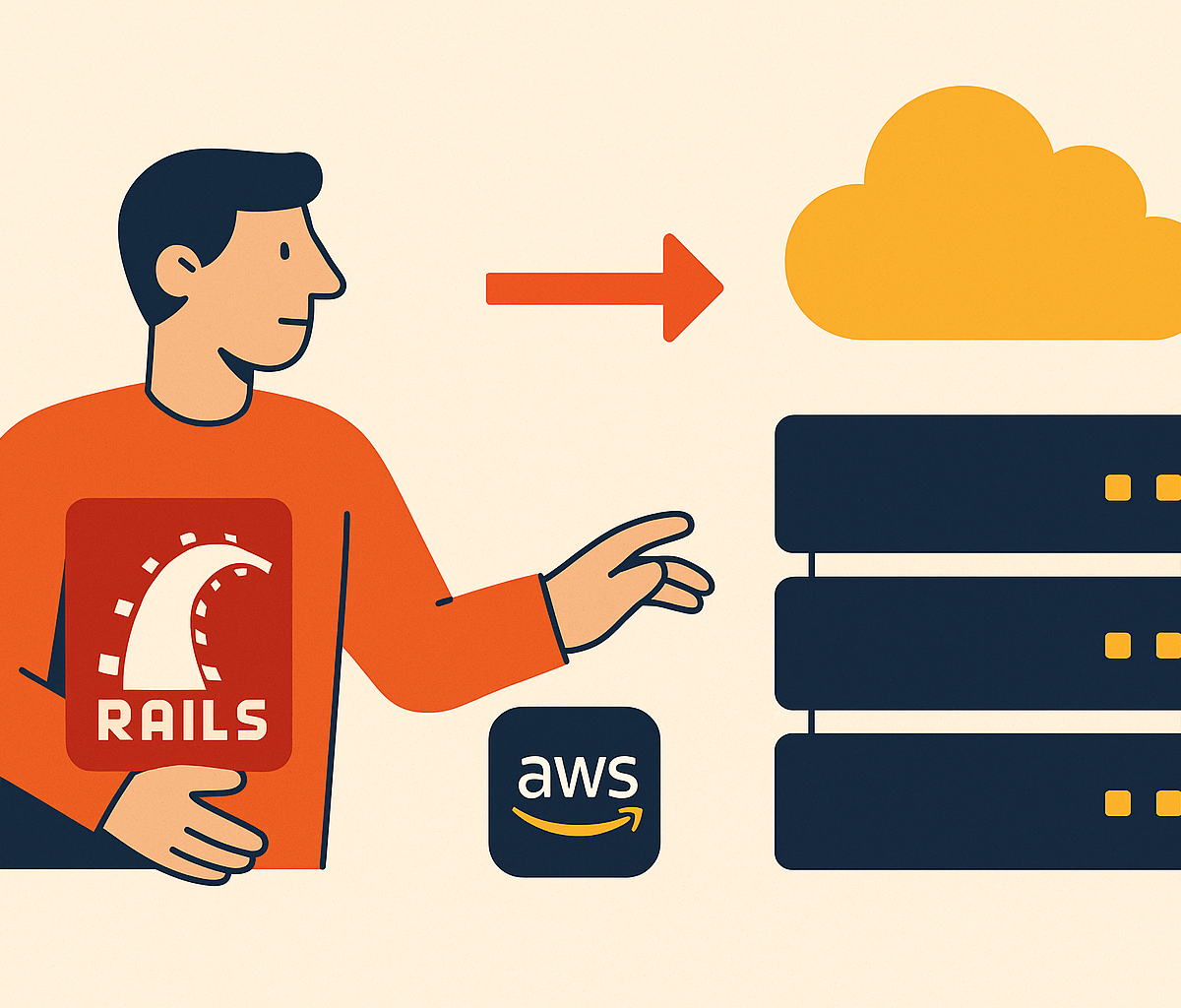
Render built an official Heroku CLI plugin that automates most of the migration setup. Run it against a live Heroku app, and it reads your existing configuration, no changes made to Heroku itself.
The plugin generates three files: a .render-buildpacks.json that maps your current buildpack setup, a Dockerfile.render with a Docker image spec ready for Render, and a render.yaml that defines your services, Postgres, and Redis as infrastructure-as-code.
The actual sequence looks like this. Run the import command against your live app, review the plan Render generates in its dashboard, and apply it to create the resources. The plugin deliberately skips secrets, so you'll need to add environment variables containing API keys and credentials by hand afterward.
Database migration is the one step that needs real downtime, and there's no way around it. Put Heroku into maintenance mode to freeze writes, pull a Postgres backup, and restore it into your new Render database using pg_restore. Plan an actual maintenance window for this part and tell your users ahead of time. Everything else in the migration can happen with the lights on; the database can't.