Heroku to AWS Migration Walkthrough for Node.js Apps
Move your Node.js app from Heroku to AWS without rewriting code.
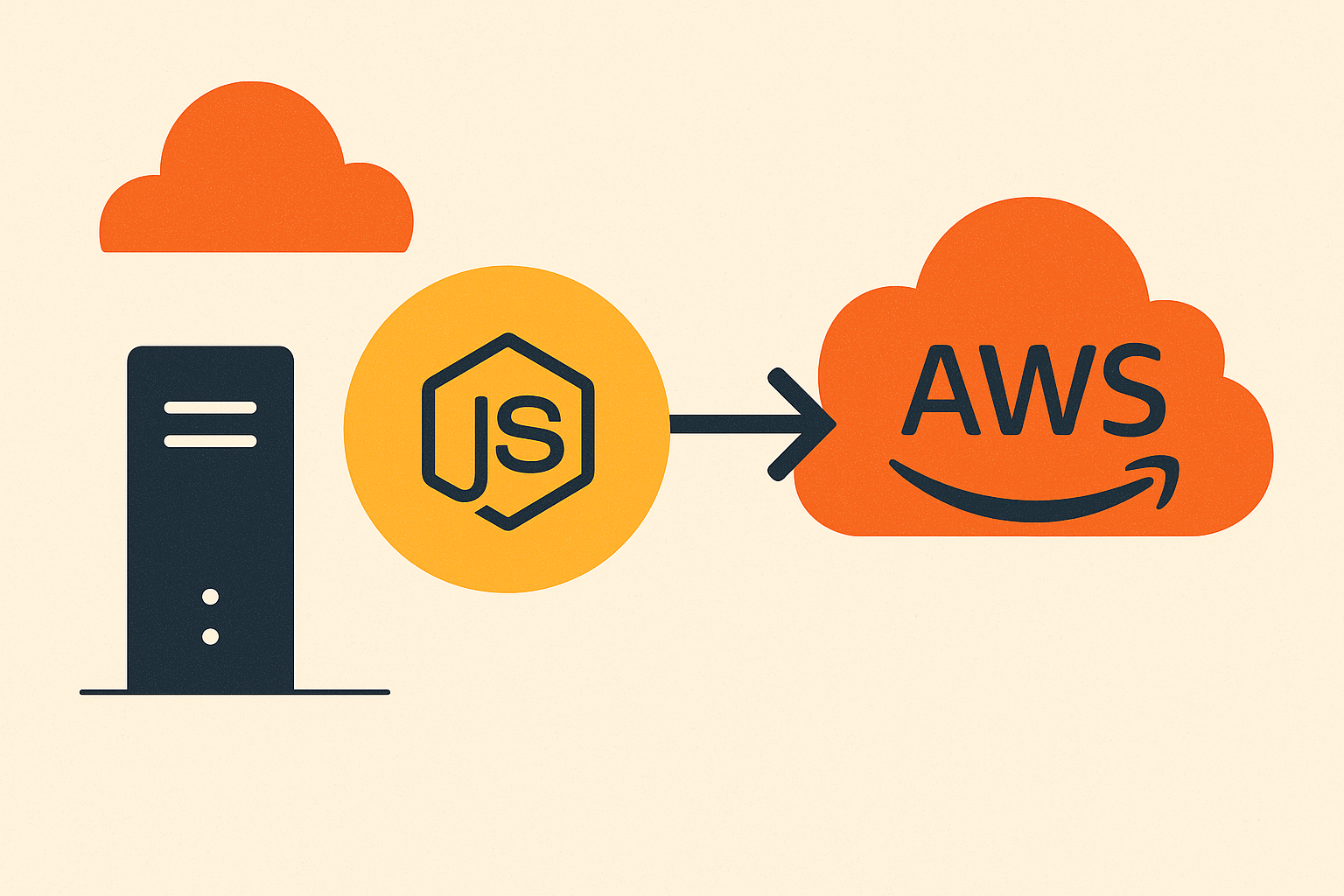
The application code does not need to be rewritten. This migration is a change in deployment configuration and infrastructure wiring. Your business logic stays exactly where it is.
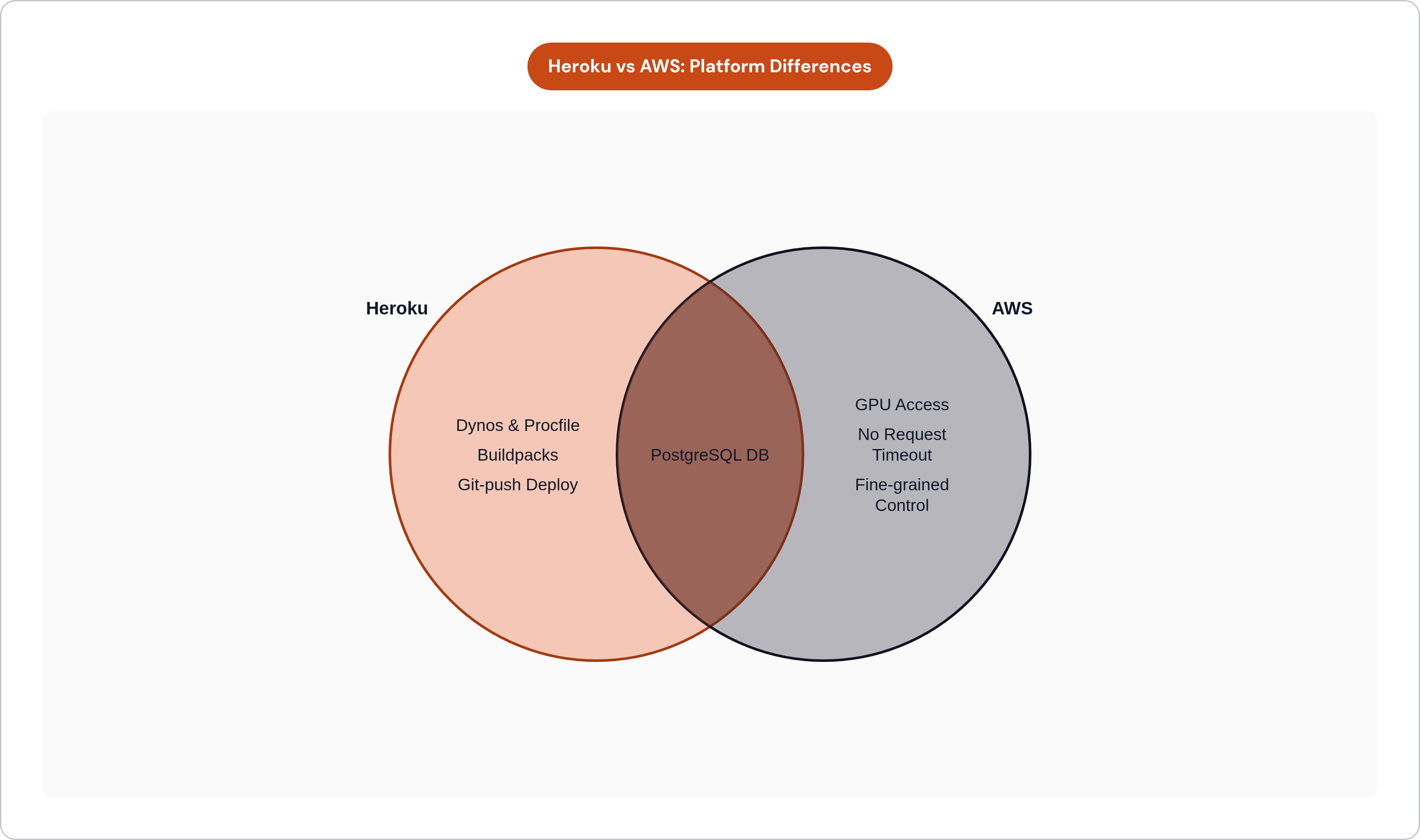
Heroku's Procfile-and-dynos model gets replaced by containers or managed compute. The conceptual model is identical: declare a process type, tell the platform how to run it, let the platform handle execution. The form factor changes; the logic does not.
Every Heroku add-on has a direct AWS equivalent. Heroku Postgres maps to Amazon RDS running PostgreSQL. The ephemeral filesystem maps to Amazon S3. Heroku Scheduler maps to AWS EventBridge or ECS scheduled tasks. Config vars move to AWS Systems Manager Parameter Store or AWS Secrets Manager. Same concept, different location.
The structural shift is this: Heroku is a platform-as-a-service that deliberately hides infrastructure. AWS is infrastructure-as-a-service that deliberately exposes it. That exposure is manageable, but it is real work, and teams that underestimate it are the ones who stall six weeks in wondering where the time went.
What AWS gives you in exchange is architecturally significant. No request timeout ceiling. EC2 and ECS tasks run as long as they need to. Persistent WebSocket connections work without workarounds. Long-running background workers do not require separate worker dyno billing. For teams building AI features, direct GPU access is available, something Heroku structurally cannot offer.
Choosing the Right AWS Deployment Target Before Writing Any Config
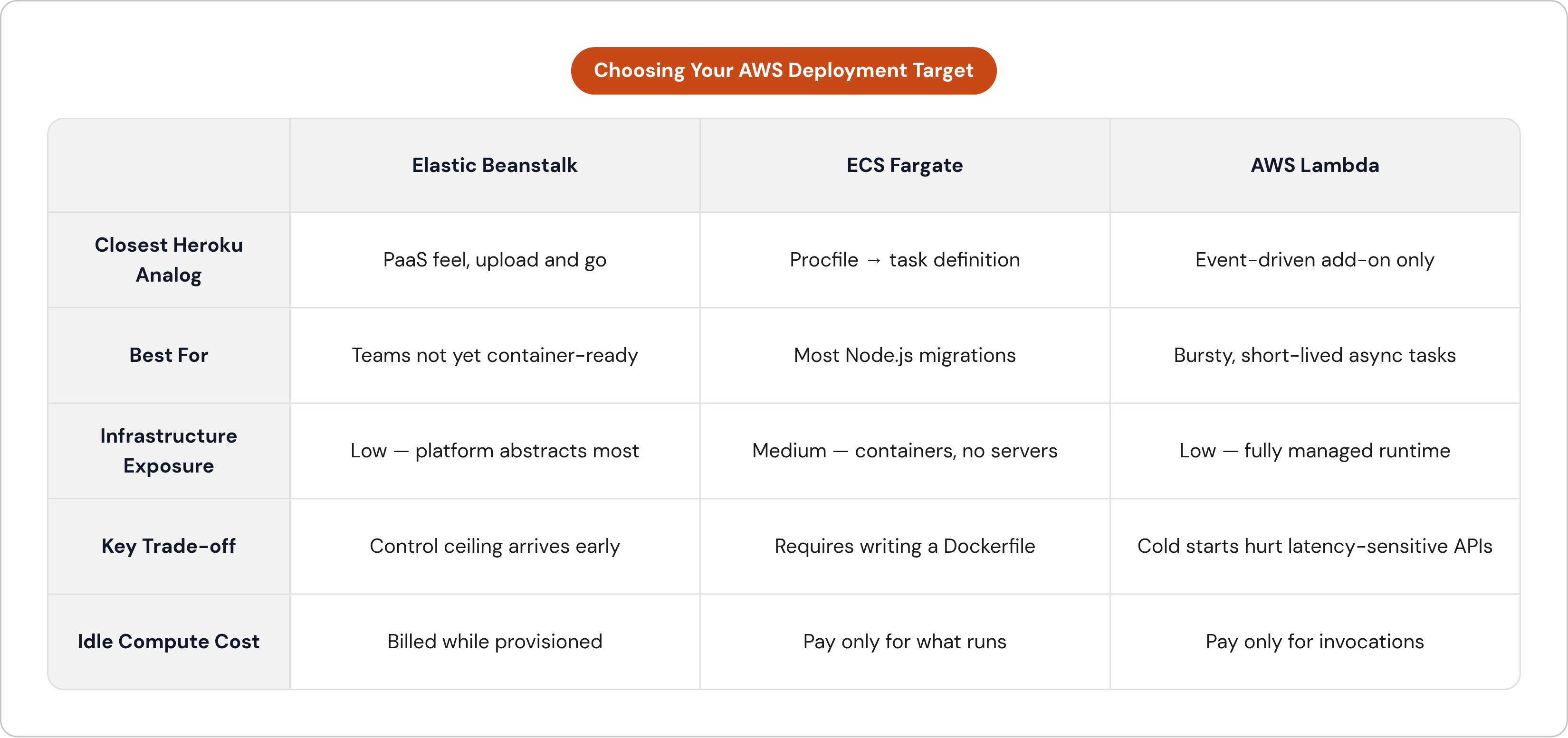
This decision shapes everything downstream, so make it before touching a single config file.
AWS Elastic Beanstalk
Elastic Beanstalk is the closest analog to Heroku's PaaS feel. Upload code or a container, and Beanstalk handles provisioning, load balancing, and basic scaling. It supports SOC, HIPAA, ISO, and PCI compliance through AWS's compliance posture, though teams retain shared responsibility for their own controls within that environment. It suits teams not yet ready to think in containers. The trade-off is genuine: less fine-grained control, and a ceiling that arrives sooner than most teams expect.
AWS ECS Fargate
ECS Fargate is the recommended default for most Node.js teams migrating from Heroku. Serverless container orchestration means you run Docker containers without managing the underlying servers. Billing is pay-for-what-runs, which eliminates idle compute costs. It integrates natively with Elastic Load Balancing, RDS, and IAM, and scales automatically. The path from a Heroku Procfile to a Fargate task definition is direct. For teams that want container portability without operating Kubernetes, this is the answer.
AWS Lambda
Lambda works for event-driven or bursty, short-lived endpoints. Cold start latency for Node.js functions ranges from a hundred milliseconds into the high hundreds, which makes it a poor fit for latency-sensitive APIs. Default concurrency limits apply. Lambda works well as a complement to an ECS Fargate deployment, handling specific async tasks at the edges of the architecture, but it is not a drop-in replacement for a web server.
If the app has a Procfile with a web process and one or more worker processes, ECS Fargate is the natural translation.
Containerizing the Node.js App for ECS Fargate
Heroku's buildpacks handled containerization invisibly. On AWS, the team writes the Dockerfile. For most Heroku Node.js apps, this is not complicated.
Start with node:16-alpine as the base image: lightweight and predictable. Set WORKDIR /usr/src/app. Copy package.json and package-lock.json, run npm install, then copy the remaining source. Expose the application port that matches whatever PORT was set to on Heroku. Start with node app.js, or whatever entry point the Procfile's web line named.
Heroku's PORT environment variable convention carries over cleanly. Node.js apps that already read process.env.PORT require no code change.
Add multi-stage builds for production images. The first stage handles build and dependency installation; the final stage copies only what the runtime needs. Image size stays small, development dependencies stay out of production, and once you are tracking CVEs seriously, that distinction becomes consequential faster than you would expect.
Worker processes from the Procfile become separate ECS task definitions, one per process type, preserving the same logical separation Heroku enforced with dyno types.
Before pushing anything to AWS, validate locally with docker build and docker run. Port conflicts and missing environment variables surface quickly in a local test; debugging them inside a cloud environment takes hours.
Setting Up the AWS Infrastructure: VPC, ECR, ECS, and RDS
This is the most technically dense part of the migration. None of it is exotic, but the sequencing matters.
Amazon ECR
Elastic Container Registry is AWS's fully managed Docker registry. Create a repository to hold the Node.js image before any deployment can happen. Every subsequent deploy pushes a new image tag here.
VPC Setup
Create a dedicated VPC rather than using the default AWS VPC. Use two availability zones for redundancy. Each AZ gets two subnets: one public, where the load balancer lives, and one private, where ECS tasks and RDS instances live. It only needs to be configured once, and once done it provides a durable foundation for everything else.
ECS Cluster and Task Definition
The task definition is the AWS equivalent of a Procfile entry. It specifies the container image, CPU and memory allocation, port mappings, environment variable references, and log configuration. Reference the ECR image URI here. Environment variables are set either directly or pulled from Parameter Store, replacing Heroku's Config Vars. Define a CloudWatch log group for container output; this is the operational replacement for heroku logs --tail.
Amazon RDS for PostgreSQL
The database migration follows a standard path: pgdump from Heroku Postgres, pgrestore into RDS. The PostgreSQL version is the same; only the host changes. Place RDS in the private subnet so ECS tasks can reach it but it has no public exposure. Update the DATABASE_URL environment variable in the task definition to point at the new RDS endpoint.
Elastic Load Balancer
An Application Load Balancer sits in front of the ECS service, routing HTTP and HTTPS traffic, handling health checks, and enabling zero-downtime rolling deployments when new task definitions are deployed.
One more thing: Terraform can codify all of the above so the environment is reproducible and version-controlled. Once staging and production begin to diverge, and they will, that codification is what keeps the whole thing coherent.
Migrating Environment Config and Secrets Without Breaking the App
Start with a clean export before touching anything else. Run heroku config -a app-name and capture every key-value pair.
Then audit before migrating. Separate application configuration from credentials: database URLs, API keys, tokens. That separation maps directly to different AWS services with different access controls. Non-sensitive config goes into AWS Parameter Store. Credentials and keys go into AWS Secrets Manager. Both integrate natively with ECS task definitions: values are injected at container startup, not baked into the image.
Do not put secrets in the Docker image or in the task definition's plain environment block. An image is an artifact that gets pushed, stored, and examined. More than once, a team has burned time revoking and rotating credentials because someone treated the Dockerfile like a.env file during a rushed migration.
The IAM role attached to the ECS task must have explicit permission to read from Parameter Store or Secrets Manager. A missing IAM policy is one of the most common causes of silent startup failures during migration. The container starts, reaches for a secret, gets denied, and fails in ways that produce misleading log output.
Third-party service credentials, Stripe, SendGrid, and others, remain structurally identical after migration. Only the storage location changes. After the migration completes, rotate any credentials that were previously stored in Heroku. This closes the exposure window opened during the transition.
Wiring Up CI/CD with GitHub Actions and ECS Fargate
Heroku's git-push deployment model gets replaced by a GitHub Actions workflow that builds, pushes, and deploys on every push to the main branch. Four steps, each handled by an AWS-maintained GitHub Action.
aws-actions/configure-aws-credentials configures AWS credentials for subsequent steps, preferably via OIDC rather than long-lived access keys. aws-actions/amazon-ecr-login authenticates to the container registry. aws-actions/amazon-ecs-render-task-definition inserts the new image ID into the task definition. aws-actions/amazon-ecs-deploy-task-definition updates the ECS service and triggers a rolling deployment.
Use GitHub Actions OIDC for credential exchange rather than storing AWS access keys as GitHub secrets. OIDC eliminates the credential rotation burden and reduces attack surface.
Rolling deployment in ECS means zero downtime. ECS starts new tasks with the updated image, waits for health checks to pass, then drains the old tasks. The sequence matters; do not skip the health check configuration.
Run tests before the build-and-push step. Fail fast. Pushing a broken image to ECR and discovering the failure during deployment is a recoverable situation, but catching failures earlier is faster.
For branch-based environments that mirror what Heroku review apps provided: deploy feature branches to a staging ECS service with its own environment variable set, keeping staging and production fully isolated.
The Operational Gap Raw AWS Leaves Open, and How Teams Close It
Heroku's value was never just compute. It was the operational layer on top of compute: one-command deploys, automatic SSL provisioning and renewal, built-in metrics, no cluster management required. Raw AWS returns all of that burden to the team.
SSL certificates need to be provisioned through AWS Certificate Manager and wired to the load balancer. ECS cluster versions need to be upgraded as new versions release. Base image CVEs need to be tracked and patched; the team now owns the container, not just the application code. Autoscaling policies need to be written and tuned. Cost monitoring requires active attention; without it, cloud spend drifts upward quietly and the bill is the first indication something went wrong. The FinOps Foundation has documented that organizations waste an average of 32% of cloud spend without active oversight.
Teams most likely to stall mid-migration are not the ones who struggle with initial setup. They are the ones who complete initial setup successfully and then discover the ongoing maintenance surface that raw AWS leaves uncovered.
AWS's economics are substantially better than Heroku's at scale, with optimization commonly yielding savings in the range of 50 to 70 percent. But a meaningful portion of those savings can be consumed by engineering time if no tooling manages the operational layer. Whether that trade pencils out depends entirely on how your team is staffed.
How Porter Preserves PaaS Simplicity While Running Inside Your Own AWS Account
Some tooling addresses the gap the previous section describes by handling the operational layer while deploying into the team's own AWS account, not shared infrastructure.
That distinction matters in practice. The VPC, RDS, ECR, and ECS resources described throughout this walkthrough are provisioned and managed by such tooling but owned by the customer. The AWS account belongs to the team. The tooling acts as the operational layer sitting on top. For teams with compliance requirements, that ownership structure is not a minor detail.
What such tooling handles that would otherwise require manual setup or ongoing attention: cluster provisioning and version upgrades, automatic CVE patching for base images, CI/CD pipeline wiring equivalent to the GitHub Actions configuration described earlier, autoscaling configuration, and compliance posture. SOC 2 and HIPAA compliance, which would otherwise require months of infrastructure work, becomes something teams can act on in weeks rather than quarters.
The migration path from Heroku is deliberately familiar. Connect the AWS account, point the tooling at the existing Node.js repository, and environment configuration migrates through a dashboard using the same Config Vars model Heroku teams already know. The mental model transfers. The operational burden does not.
For teams that want AWS without a dedicated DevOps function to manage it, this approach occupies a specific and practical position, offering the economics and control of infrastructure ownership without the maintenance surface that typically consumes the savings.